Hey, we’re online and here to help you anytime! You’re one step closer to building a stunning mobile app for your e-commerce store. Get on a call with us to see Vajro in action.
Hey, we’re online and here to help you anytime! You’re one step closer to building a stunning mobile app for your e-commerce store. Get on a call with us to see Vajro in action.
As your brand grows, the way customers interact with you starts to change. Email, SMS, and paid media still play an important role. They help you announce launches, share updates, and drive short-term transactions. But most of those interactions are isolated.
A mobile app works differently. It remembers what a customer viewed last week, what they bought last month, how often they return, and what they care about next. That accumulated context allows the experience to evolve instead of restarting with every interaction.
Push notifications tap into that continuity. They act as precise prompts that bring customers back into the app when there is a clear reason to return— a product restocks, a launch opens early, a reward unlocks. Over time, customers begin to associate your app with moments that are relevant to them.
When used this way, push notifications shape behavior. Customers return more frequently, decisions happen faster, and engagement becomes consistent rather than sporadic.
This article explores how push notifications drive engagement and sales by supporting repeat behavior inside a mobile app.
What are push notifications?
Push notifications are real-time messages sent directly to a customer’s mobile device. They’re most effective when triggered by real behaviour, bringing customers back at moments that already matter to them.
For example, a customer browses a running shoe, checks sizes, and drops off. Two days later, the exact size they viewed comes back in stock. You can send a push notification that opens directly to the product page with the size pre-selected and the purchase call-to-action (CTA) visible.
That single tap turns stored intent into action because timing, relevance, and destination align.
Anatomy of a push notification
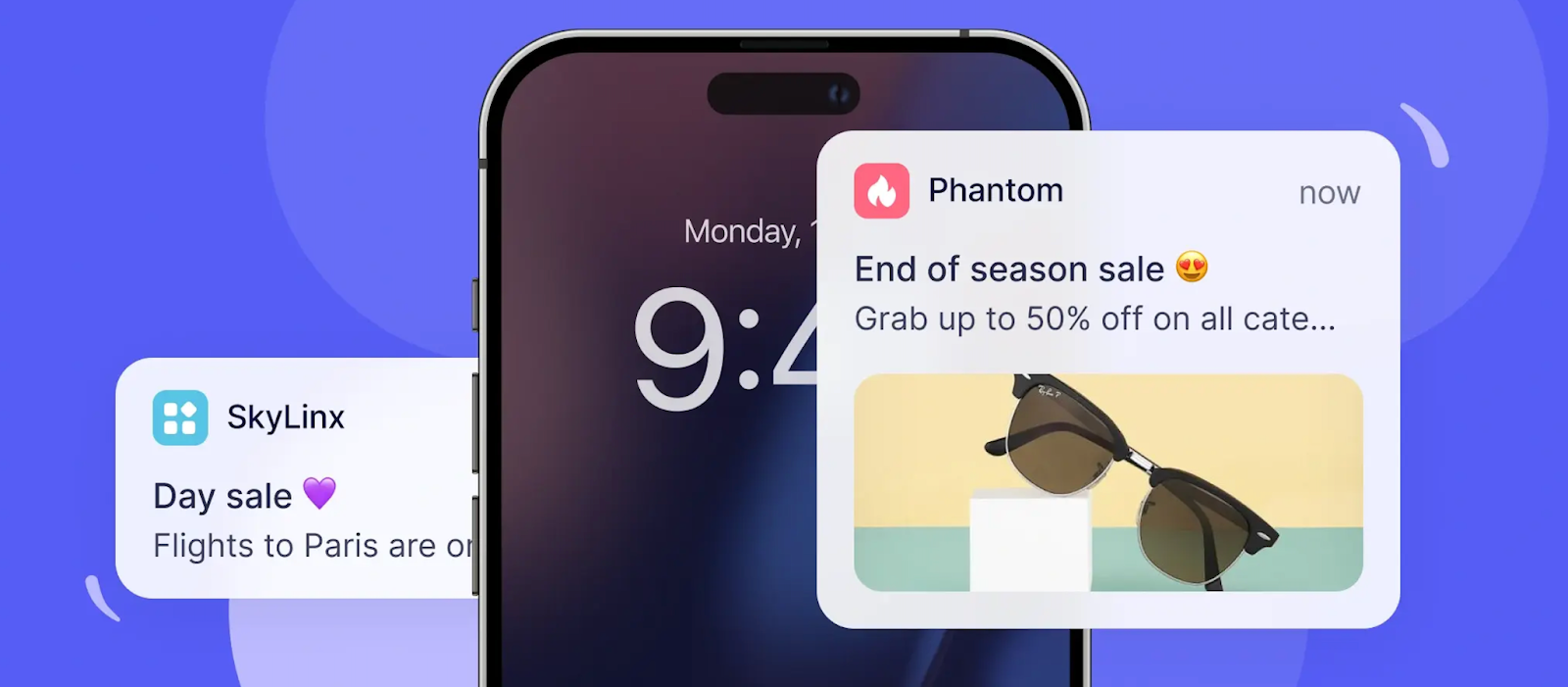
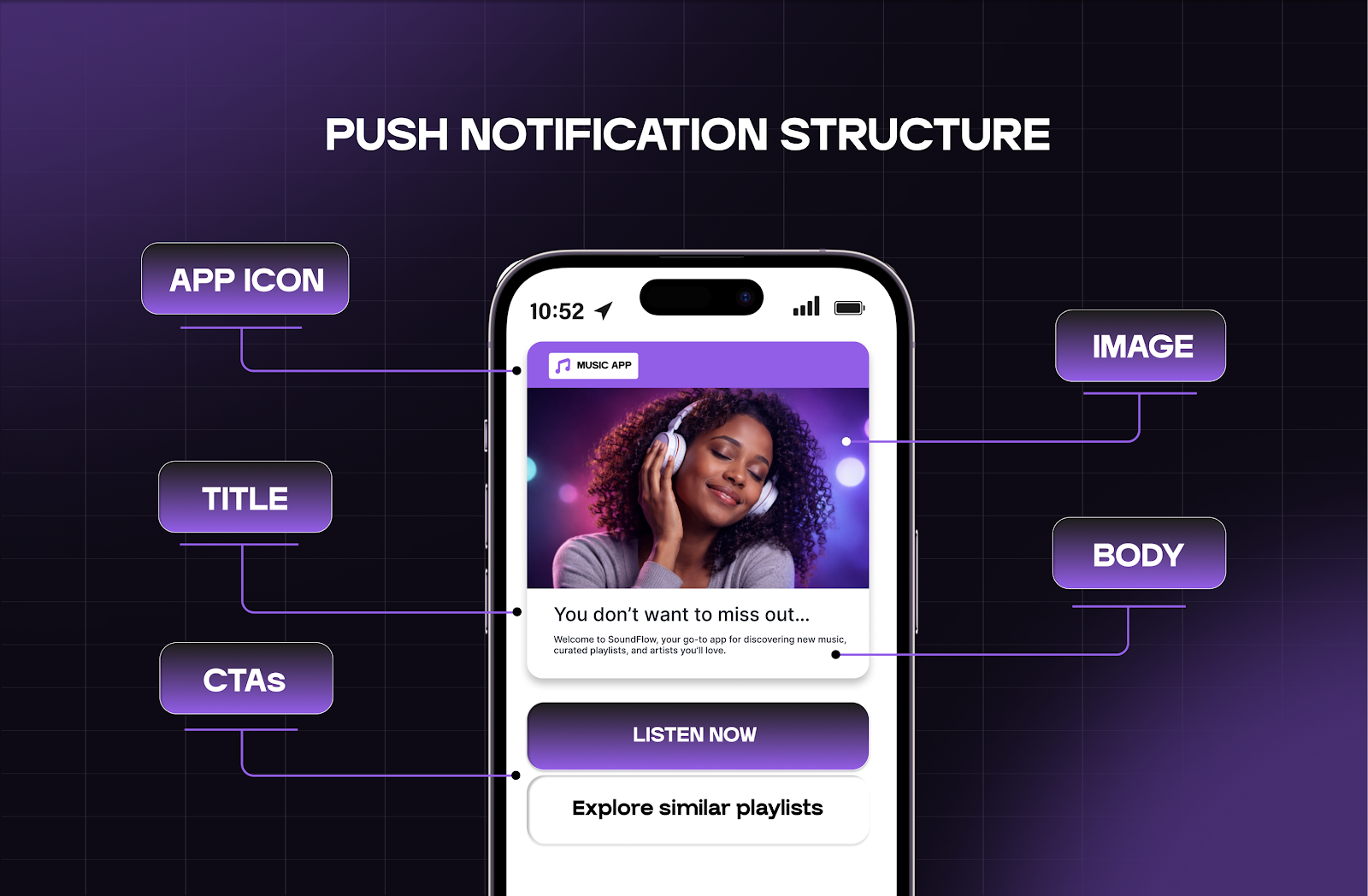
Mobile push notifications rely on a few core components that work together to drive relevance and action. Each component plays a specific role:
App icon: Creates instant brand recognition and reassures the shopper that the push message comes from a trusted source.
Title: States the value or urgency in plain language. Use the title to hook the shopper and set context on why they should continue engaging.
Message body: Provides context for why the notification matters now. It anchors the message to a specific customer action, status, or benefit.
CTA: Directs the next step with precision. A strong CTA leads to a single destination and outcome, such as “View drop,” “Resume checkout,” or “Unlock early access.”
Rich media (optional): Visual elements such as product images, GIFs, or subtle emojis help reinforce relevance when used sparingly. Appearing directly in the notification, they act as a quick visual preview of what the customer will see inside the app.
Difference between a mobile app push notification and a web push notification
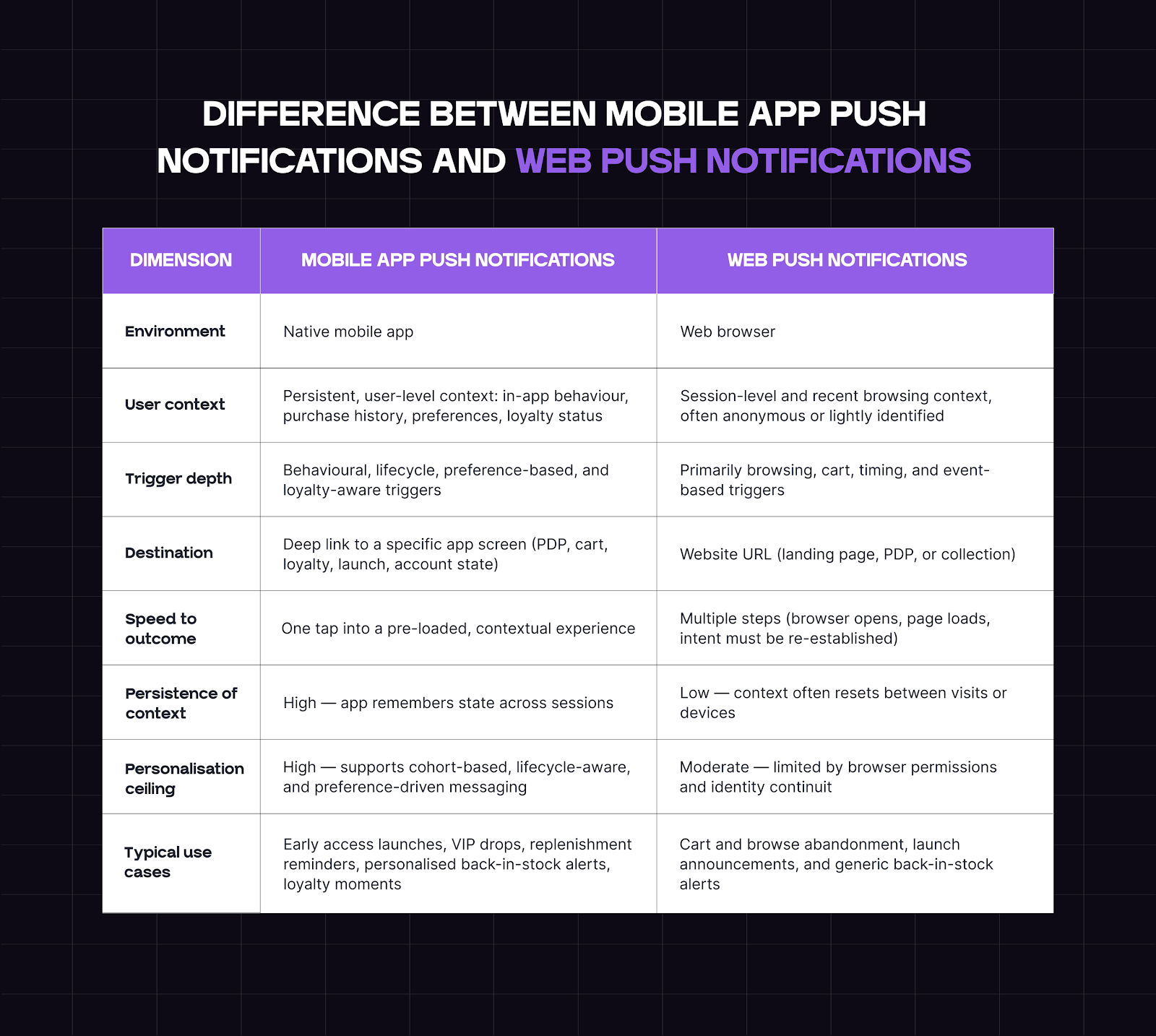
Mobile app push notifications and web push notifications both reach customers on their device screens, but they operate based on different levels of customer context and continuity.
Mobile app push notifications are delivered through an installed app that tracks behavior across sessions. This allows you to trigger messages based on specific actions, such as product views, cart activity, purchase history, loyalty tier, or launch participation. When the shopper taps on the notification, they land exactly where the action continues inside the app.
Web push notifications are delivered through a browser environment. They rely on lighter browsing signals (like cart activity and product views), and redirect shoppers to a webpage rather than providing a persistent, personalized user experience. You use web push for early re-engagement and simple reminders.
In an app-led retention strategy, mobile app push notifications activate high-intent moments where timing and relevance directly influence conversion and repeat revenue. Web push is better suited to earlier-stage touchpoints, where intent is emerging and context is still being established.
How mobile app push notifications work
Mobile app push notifications function at the operating system level across both iOS and Android. Once a user installs your app and opts in, you can reach them directly through system-level notifications, even when the app isn’t open or actively running.
Behind the scenes, this delivery is handled through native platform services. On iOS, notifications are routed through APNs (Apple Push Notification Service). On Android devices, delivery runs through Firebase Cloud Messaging (FCM).
Most apps integrate these services using an SDK or API, which allows real-time triggers to send messages reliably to a user’s device.
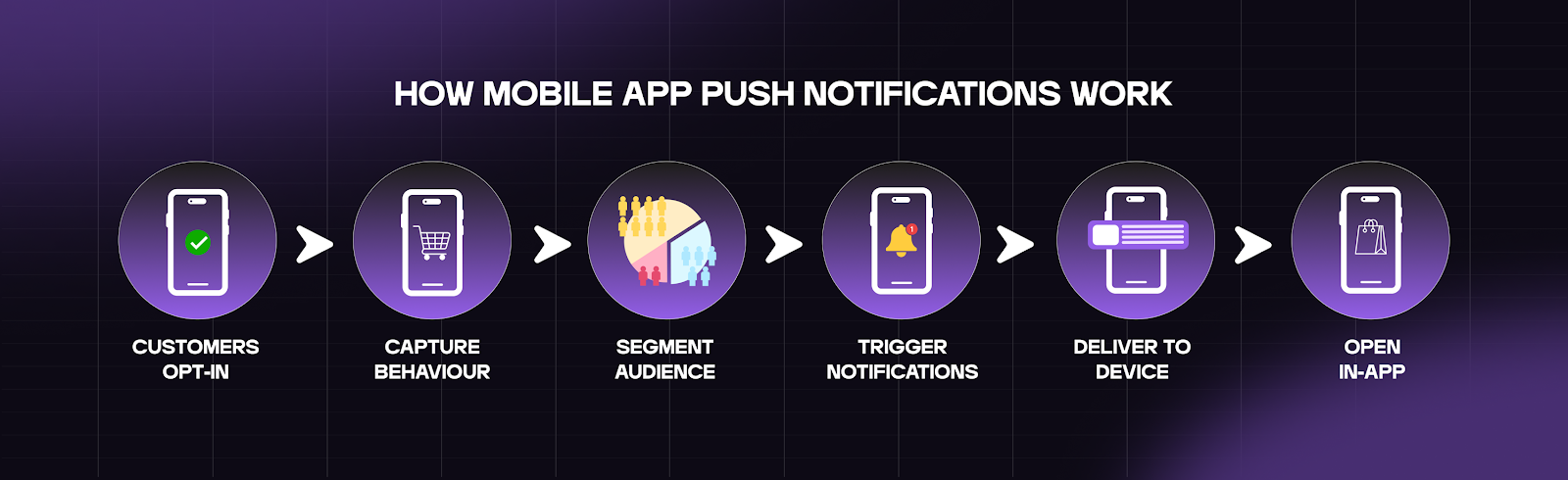
Here’s how push works inside an app-led retention system:
Customers opt in during app install: When a customer installs your app, they grant permission to receive push notifications. This opt-in creates a direct, device-level communication channel you control.
The app captures real-time behavior: The app records actions such as product views, searches, cart activity, purchases, and app opens. These actions indicate real intent and engagement.
Behavior is organized into live segments: Customers are grouped by lifecycle stage, purchase history, and app engagement patterns. Segments update automatically as behavior changes.
Push notifications trigger from intent or timing: From here, you can trigger push notifications in two practical ways:
Campaign pushes support launches, new product drops, and announcements for defined audiences.
Automations are triggered by specific actions or milestones, such as cart activity, transactional notifications, restocks, replenishment timing, or loyalty progress.
Notifications deliver instantly to the user’s device: Messages appear on the lock screen or notification tray, the moment the trigger fires, when context is still intact.
A tap opens the exact in-app destination: When a customer opens the notification, you send them straight to the most relevant screen inside the app. That might be a product page, a pre-filled cart, a collection view, a loyalty dashboard, or an early-access screen.
Engagement feeds future messaging: Opens, sessions, and conversions are tracked and used to refine segmentation, timing, and triggers over time.
Benefits of push notifications
Push notifications work because they connect three things in one motion: a real customer signal, precise timing, and a direct in-app destination. Each interaction builds on the last, carrying context forward rather than starting from zero.
This creates faster decisions, higher-quality user engagement, and repeat behavior that compounds.
The core benefits of push notification campaigns are:
High visibility at decision-ready moments
Push notifications appear directly on a customer’s device, where attention is immediate and personal. You reach customers at moments tied to real behavior: viewing a product, waiting for a restock, approaching a loyalty milestone, or anticipating a launch.
This visibility matters. Instead of competing for attention later, you show up when the customer is already thinking about your brand.
Real-time engagement driven by live behavior
Push notifications activate in response to what customers are doing right now. You respond to actions such as browsing patterns, cart activity, purchase timing, and session frequency while intent remains active.
This real-time responsiveness allows you to sustain momentum, pulling customers back into the app while context and motivation are intact.
Lower cost as your customer base grows
Once customers install your app and opt in, push notifications operate without incremental delivery costs. Each additional message reaches more customers without needing to increase spend.
This makes push notifications one of the most efficient retention channels at scale, especially across launches, replenishment cycles, and loyalty moments.
High-intent traffic by design
Push notifications bring customers back with a clear purpose. It’s used to signal moments that matter: VIP access, product drops, restocks, replenishment timing, and loyalty rewards.
Since each personalized message is tied to an expressed interest or earned status, the traffic arrives ready to act.
A direct path from message to action
Every push notification links to a specific in-app destination. When customers tap, they land exactly where the next action happens: on a product page, a pre-filled cart, a gated collection, or a loyalty dashboard.
Removing extra steps keeps intent intact and accelerates conversion.
Stronger habit formation over time
Consistent, relevant push notifications train customers to return to your app as their primary engagement channel. Over time, the app becomes where customers expect to check launches, track rewards, and access exclusive moments.
This repeated behavior builds familiarity and trust. The app earns its place on the home screen by delivering value that aligns with customer intent.
Reinforced repeat behavior and long-term value
Push notifications build value by amplifying behaviors customers already demonstrate. This allows you to:
Prompt repeat purchases through replenishment timing.
Acknowledge loyalty through progress and milestone updates.
Increase buying frequency through controlled access to launches and exclusives.
Each message supports actions that customers recognise and repeat. Over time, this reinforcement drives higher lifetime value through consistency rather than volume.
Why push works best inside an app-first retention layer
Push notifications deliver the most value when they operate inside a mobile app that retains customer context across sessions. An app-first retention layer gives push the structure it needs to compound impact over time.
Here are the three conditions that allow push notifications to function as high-intent triggers inside a long-term app retention system:
Persistence: The app remains present on the customer’s device between visits. Push notifications bring customers back into an environment that already exists, without needing to recreate attention or re-earn access.
Context: The app retains behavioral data, including browsing history, purchase patterns, loyalty status, and engagement signals. Push notifications use this context to trigger messages that align with where the customer is and what they’re likely to do next.
Continuity: Each interaction connects to the next. Push notifications return customers to experiences that recognise them, adapt to their actions, and support progression across browsing, purchasing, loyalty, and repeat engagement.
When and why push notifications outperform other channels
Push notifications deliver the most value in moments where timing, intent, and destination determine the outcome. These are situations where customers already know what they want and need a fast, direct path to act.
1. During time-sensitive moments
Some moments lose value if delivery is delayed. Push notifications surface these moments immediately and send customers straight to the action.
Push is effective when availability or access has a short window, such as:
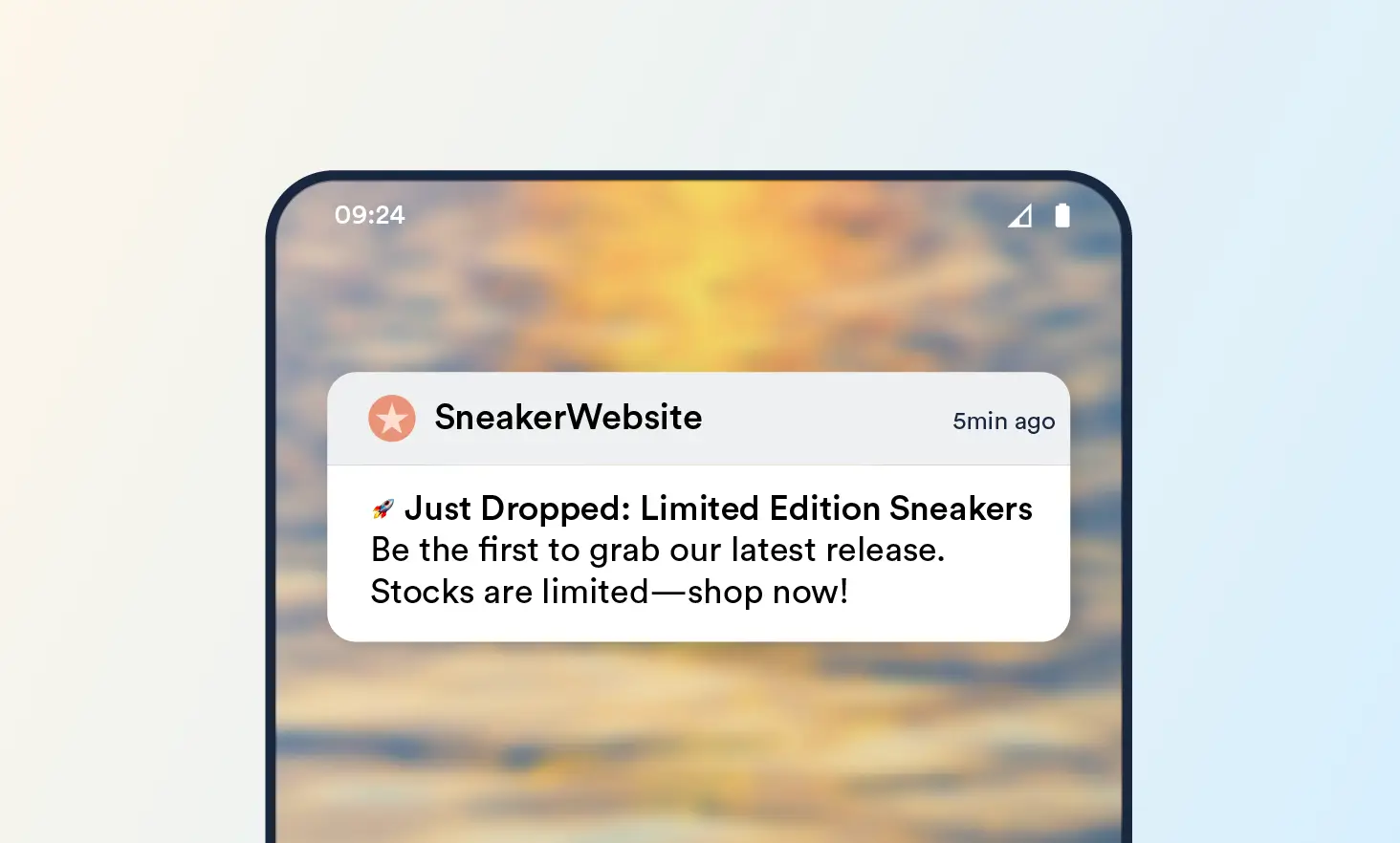
Product launches and limited drops
Back-in-stock alerts tied to a specific product or size
Flash access windows for early or gated entry
Additionally, effective push delivery accounts for time zone differences. This ensures messages appear at the right time in the user’s notification center rather than during inactive hours.
2. For repeat and high-intent customers
Customers who have purchased before or engaged deeply already recognise the product and the brand. Push notifications support these customers by signalling when to return.
Typical use cases include:
Replenishment reminders based on previous purchase timing
Loyalty milestone updates that unlock rewards or status
VIP early access to launches or collections
These messages work because they align with the behavior the customer has already demonstrated and the values they have already earned.
3. When inbox fatigue affects email performance
Email introduces friction between delivery and action. As inboxes fill with promotions and announcements, response timing becomes unpredictable.
Push notifications prompt faster engagement because they reach customers at the device level and invite immediate interaction.
Push performs well when:
Messages need a same-day or same-hour response
Inventory or access windows are limited
Momentum matters more than long-form explanation
Here, responsiveness drives outcomes.
4. When immediacy beats explanation
Some messages exist to signal readiness, not to educate. Push notifications communicate these moments clearly and route customers directly to the next step.
Some common examples include:
“Item back in stock.”
“Your size is available.”
“Drop is live.”
In these cases, clarity and destination carry the value.
5. To reinforce owned-channel engagement
Push notifications consistently return customers to the app, where experience and progression remain controlled and familiar.
Strengthen habits around launches, rewards, and access
As repetition compounds, the app becomes the primary place customers check availability, track status, and take action.
Use cases of push notifications
Push notifications create results when they’re deployed at specific moments in the customer lifecycle, where intent already exists and timing determines the outcome. Each use case answers a practical question: when to send push, what action it unlocks, and what changes as a result.
1. Product drops and launches
Push concentrates demand into a defined window and directs high-intent customers straight into the launch experience.
Customers who have followed past launches or browsed similar products already expect an update. A push notification opens the app to the launch screen, early-access collection, or gated product page, moving customers from awareness to purchase in a single tap.
What changes as a result: Launch traffic arrives earlier, peak demand compresses into the first hours, and sell-through improves because customers act while inventory and excitement are both high.
2. Cart and browse abandonment
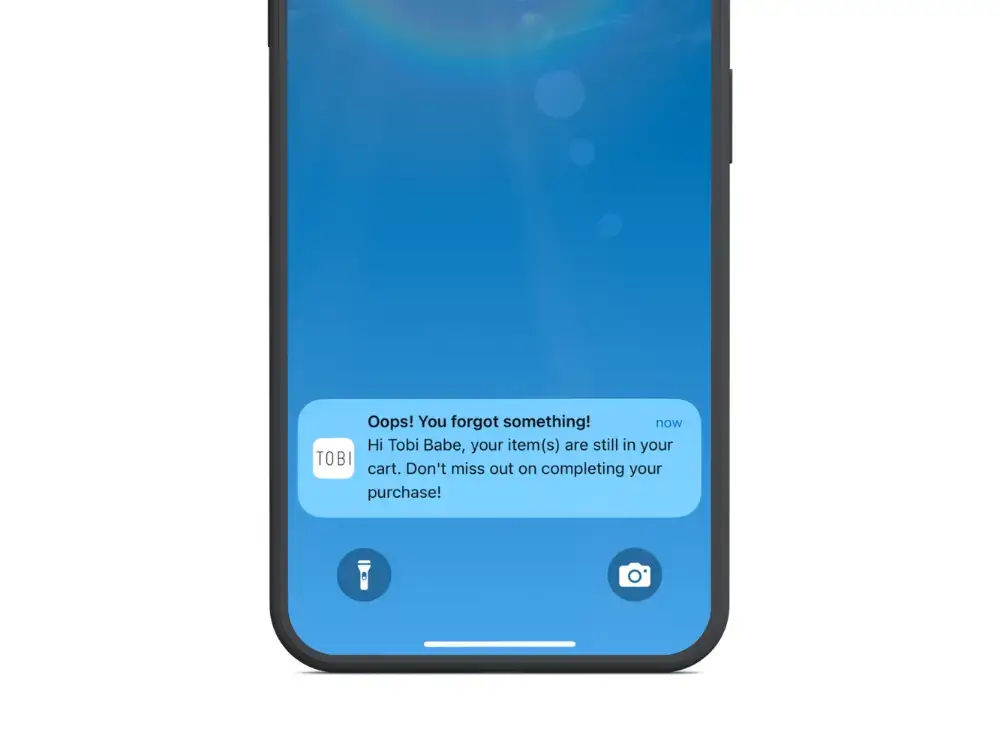
Use push notifications after a customer leaves mid-journey to resume an interrupted decision.
A browse-abandonment push opens the app to the exact product viewed. A cart-abandonment push opens a pre-filled cart with pricing and availability intact. The customer picks up where they left off without re-navigation.
What changes as a result: The time between interest and purchase shortens. Completion rates increase because customers pick up exactly where they left off.
3. Replenishment reminder
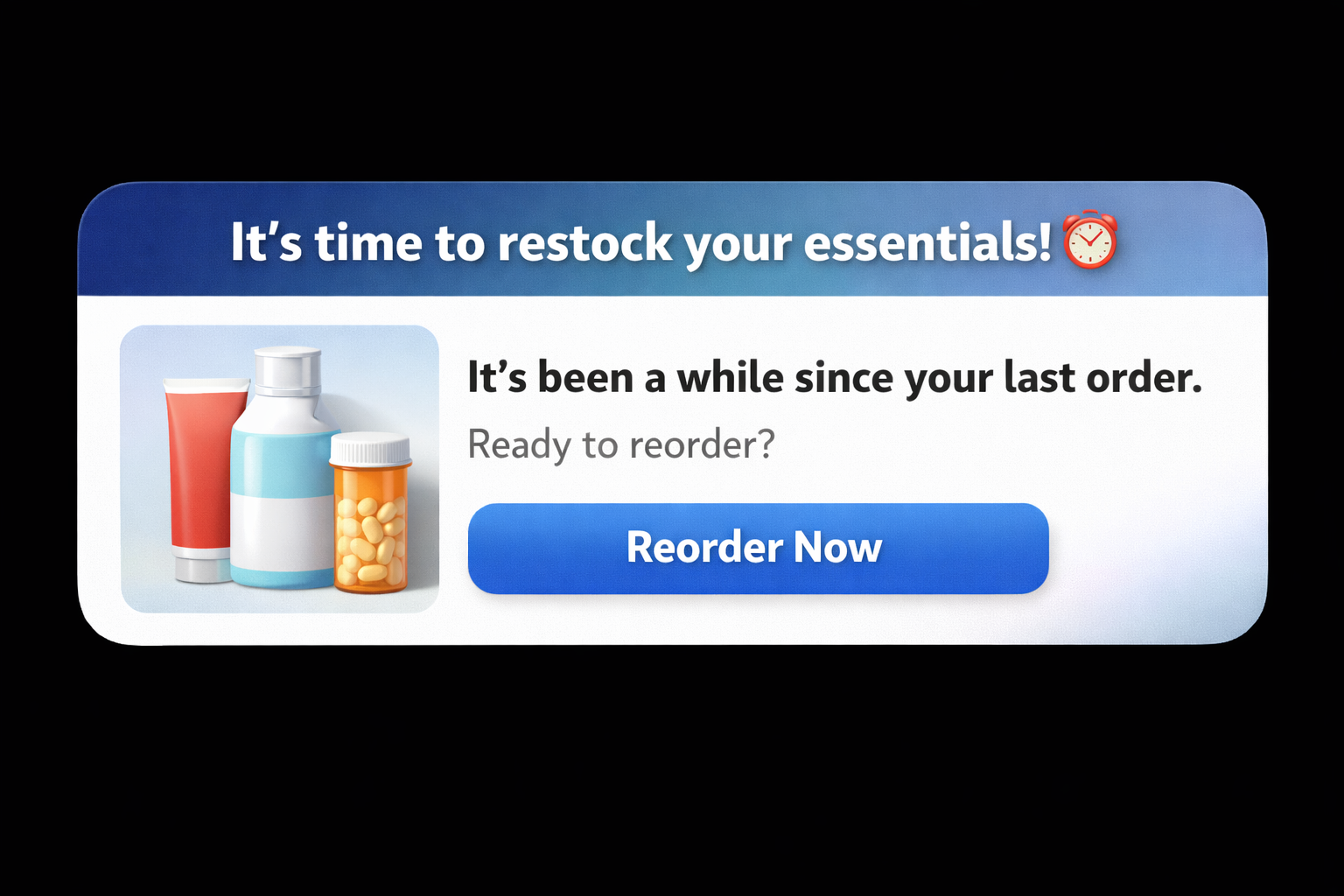
Use replenishment push notifications to prompt repeat purchases based on usage timing.
The app tracks when a customer last purchased a consumable or repeat-use product. A push notification arrives near the expected reorder window and opens directly to the product page or reorder flow.
What changes as a result: Repeat purchases become predictable. Customers reorder with less friction, and lifetime value increases through consistency rather than promotions.
4. Back in stock alert
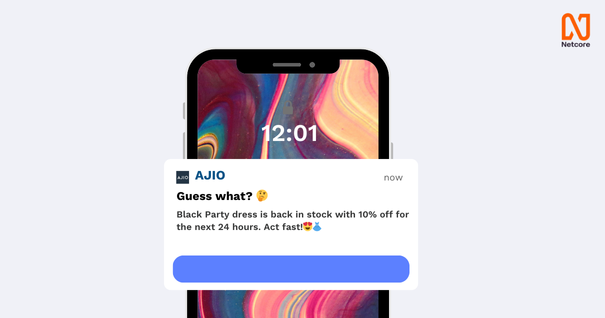
Use push notifications to convert delayed demand into immediate action.
When a customer leaves due to unavailable inventory, a back-in-stock push opens the app directly to the exact product and variant once availability returns.
What changes as a result: Restocked inventory moves faster. Conversion rates rise because the customer already evaluated the product and only needed confirmation.
5. Loyalty and VIP updates
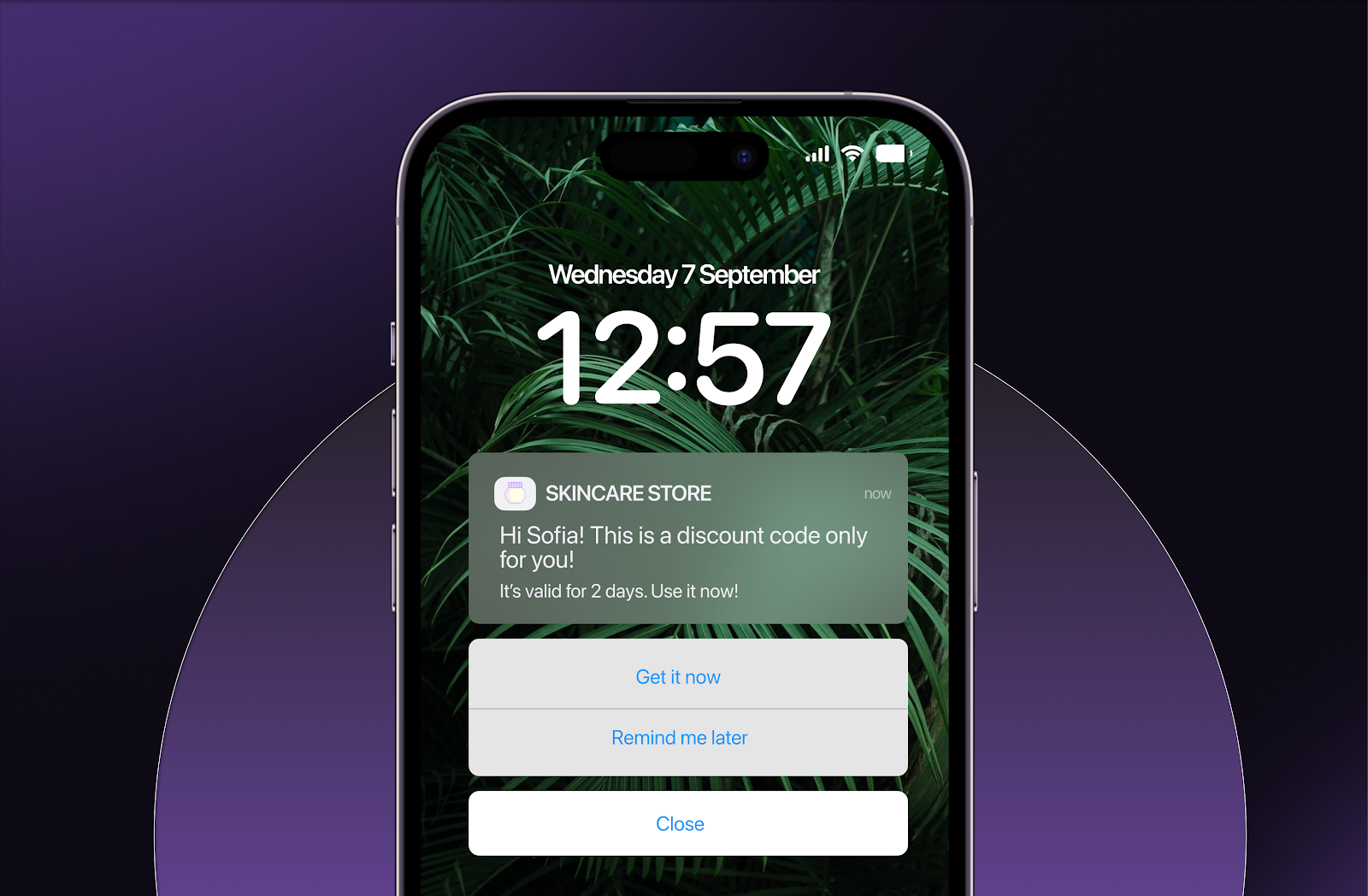
Use push notifications to signal status, progress, and access to your most valuable customers.
A loyalty milestone message opens the app to a rewards dashboard. A push notification about VIP access opens a gated collection or early-access screen.
Customers see their status reflected immediately in the experience.
What changes as a result: High-value customers engage more frequently, participate earlier in launches, and develop a stronger attachment to the app as their primary brand touchpoint.
How web push supports the customer lifecycle journey
Push notifications support the customer lifecycle by meeting customers at different stages of commitment with messages that match their readiness to act. As customers move from first purchase to long-term loyalty, push shifts from guidance to reinforcement to recognition.
Below is how push supports each lifecycle stage and why app-based push delivers the strongest outcomes at each point.
Stage 1: First purchase
Goal: Bring the customer back quickly and reduce drop-off after the initial order.
After the first purchase, use push notifications to establish early return behavior. Typical messages include order updates, delivery confirmations, and prompts to explore related products or app-only features. Each notification gives the customer a reason to reopen the app while the brand is still top of mind.
Why app-based push works here: The app retains the customer’s order and browsing context. When push brings them back, they return to an environment that already reflects their recent activity, which increases the likelihood of a second session soon after purchase.
Stage 2: Second purchase
Goal: Turn a one-time buyer into a repeat customer.
At this stage, push notifications activate repeat intent through replenishment timing, product reminders, and access to new or complementary items. Messages focus on relevance and timing rather than discovery.
Why app-based push works here: Purchase cadence and usage signals guide timing. Customers return to products and collections aligned with prior behavior, reducing effort at the moment of decision.
Stage 3: Loyalist
Goal: Sustain long-term engagement and encourage advocacy.
At the loyalist stage, push notifications maintain a connection beyond transactions. Messages highlight ongoing benefits, community moments, content, rewards progression, and continued access to special experiences.
Why app-based push works here: The app becomes the customer’s primary engagement surface. Push notifications return loyalists to an environment that evolves with their behavior, supports habitual engagement, and reinforces the emotional relationship with the brand.
Stage 4: VIP
Goal: Recognise value and concentrate spending among high-value customers.
Push notifications signal status and access. You notify VIP customers about early launches, exclusive drops, loyalty milestones, and priority access moments. Each message reinforces recognition and privilege.
Why app-based push works here: The app supports segmentation by spend, frequency, and engagement. Push notifications deliver differentiated experiences inside the app, where VIP customers can immediately see their status reflected through gated screens and exclusive content.
Across all stages, push notifications function as lifecycle-aware triggers. Inside an app-led retention layer, it carries context forward, delivers precise timing, and reconnects customers to experiences that recognise who they are and how they engage.
Best practices for sending push notifications
Push notifications create leverage when they operate as intent-driven signals inside an app-led retention system. Their role is to move customers forward at moments where intent already exists and timing determines the outcome.
The best practices below focus on structuring push so it reinforces behaviour, builds trust, and compounds value over time.
1. Send fewer notifications but higher relevance
Push performance improves when every message earns its place. High-relevance notifications align tightly with a customer’s recent behaviour, upcoming need, or earned status.
For example, a customer who browsed a category yesterday receives a push when a relevant item becomes available. That relevance turns a passive notification into an action-triggering signal and reinforces trust in future messages.
2. Trigger messages based on behavior, not calendars
Customer actions are the strongest timing signals. Product views, cart activity, purchase cadence, and engagement frequency indicate readiness far more accurately than scheduled sends.
When you trigger a push notification from these signals, messages arrive while intent is high. For instance, A replenishment reminder tied to a past purchase should be timed to when a restock is due, turning timing into a predictable repeat purchase.
3. Design push around lifecycle stage, not campaigns
Each stage of the customer lifecycle supports a different kind of message.
Early customers benefit from guidance and reassurance. Repeat buyers respond to convenience and timing. High-value customers engage with recognition and access.
Structuring push around lifecycle stage ensures the message matches the customer’s mindset, rather than forcing campaign logic onto the relationship.
4. Link directly to the next action
Every push notification should guide shoppers to one clear next step. Customers should land exactly where the action completes: a product page, pre-filled cart, gated collection, or loyalty dashboard.
For example, a back-in-stock push opens the exact product and variant the customer viewed earlier. The path from notification to purchase remains uninterrupted.
5. Respect permission and preferences
Push notifications operate on explicit customer permission. Preserve that permission by aligning frequency, timing, and content with what customers expect from your app.
Respecting user preferences keeps opt-in rates stable as engagement deepens. Customers remain receptive because each notification is relevant.
6. Personalize by intent, status, and history
Effective push notifications reflect what the customer has already done and what they are likely to do next. Browsing history, purchase behavior, loyalty tier, and engagement patterns shape both message and timing.
A loyalty milestone push highlights progress and rewards. A replenishment push reflects product usage.
Each message feels earned because it mirrors the customer’s journey.
7. Coordinate push notifications with other marketing channels
Push notifications perform best when it activates moments introduced elsewhere. Email can provide context and anticipation, while push notifications delivers access and action.
For example, an email announces an upcoming launch, while a push notification would open the app when early access goes live. The experience progresses instead of repeating.
8. Track success using long-term signals
Evaluate push notifications based on their ability to drive sustained engagement and revenue over time. The most useful metrics reflect behavior, not surface interaction.
Track:
Open rates and engagement rates to assess relevance
Sessions driven by a push to measure return behavior
Conversion and click-through rate from push to confirm action
App-engaged cohort lifetime value to understand long-term impact
These metrics reveal whether push is reinforcing repeat behaviour, accelerating decisions, and contributing to durable growth.
Leverage push notifications to improve engagement and sales on your mobile app
Push notifications deliver results when used to strengthen ongoing customer relationships in your mobile app. Each message builds on previous interactions, carries context forward, and supports the next meaningful action.
This only works when the app itself is built for retention. A strong app stays present between visits, preserves behavioural and purchase context, and recognises customers as they return, so every push leads back into an experience that already knows them.
Superfans.io is designed for this model. It gives brands the infrastructure to trigger push notifications from real customer behaviour, route customers into personalised in-app experiences, and support VIP access, launches, and lifecycle moments without manual overhead. Push notifications become a precise activation layer rather than a broadcast channel.
If you want push notifications to drive repeat engagement and revenue, book a demo to see how Superfans.io supports app-led retention.
Thank you! Your submission has been received!
Oops! Something went wrong while submitting the form.
This is some text inside of a div block.
"Looking for creative push notification ideas? Check out our free templates and start customizing!"







.png)