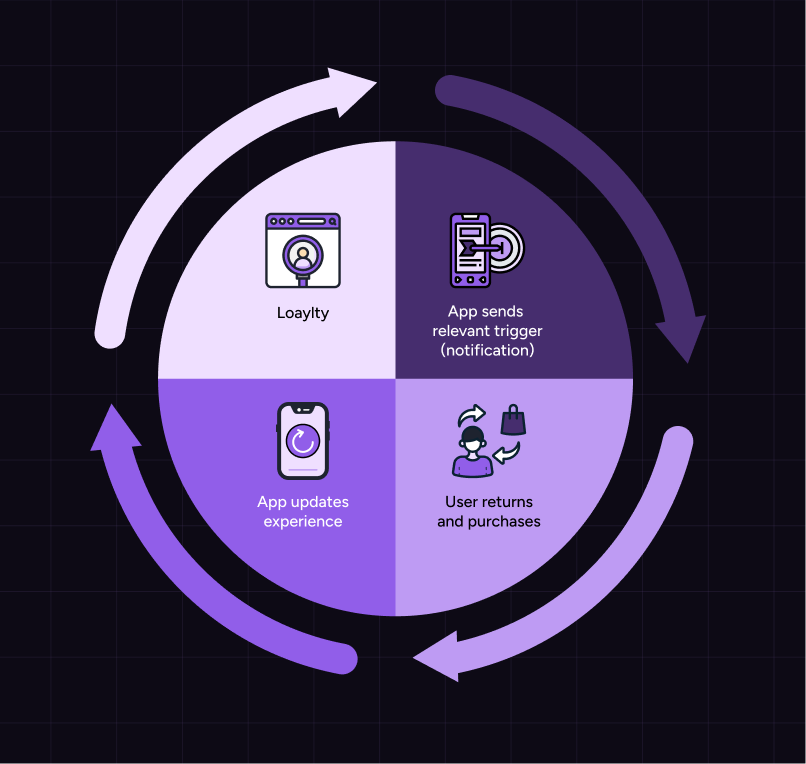
Mobile apps give you something most channels don’t: continuity. They carry customer behavior forward (what someone browsed, bought, and engaged with) so each visit can build on the last instead of starting over.
But many ecommerce brands don’t use this advantage. The experience stays static, recommendations remain generic, and communication ignores recent behavior. Each visit feels like starting over.
Personalization changes that. It uses real customer signals (preferences, actions, and engagement patterns) to shape what each shopper sees and what they’re prompted to do next.
When set up correctly, the app becomes easier to use with every session. Customers find what they need faster, return more often, and move through the journey with less effort.
This guide breaks down how to structure mobile app personalization so that behavior, in-app experience, and communication work together as a system to drive retention and repeat purchases.
What is mobile app personalization?
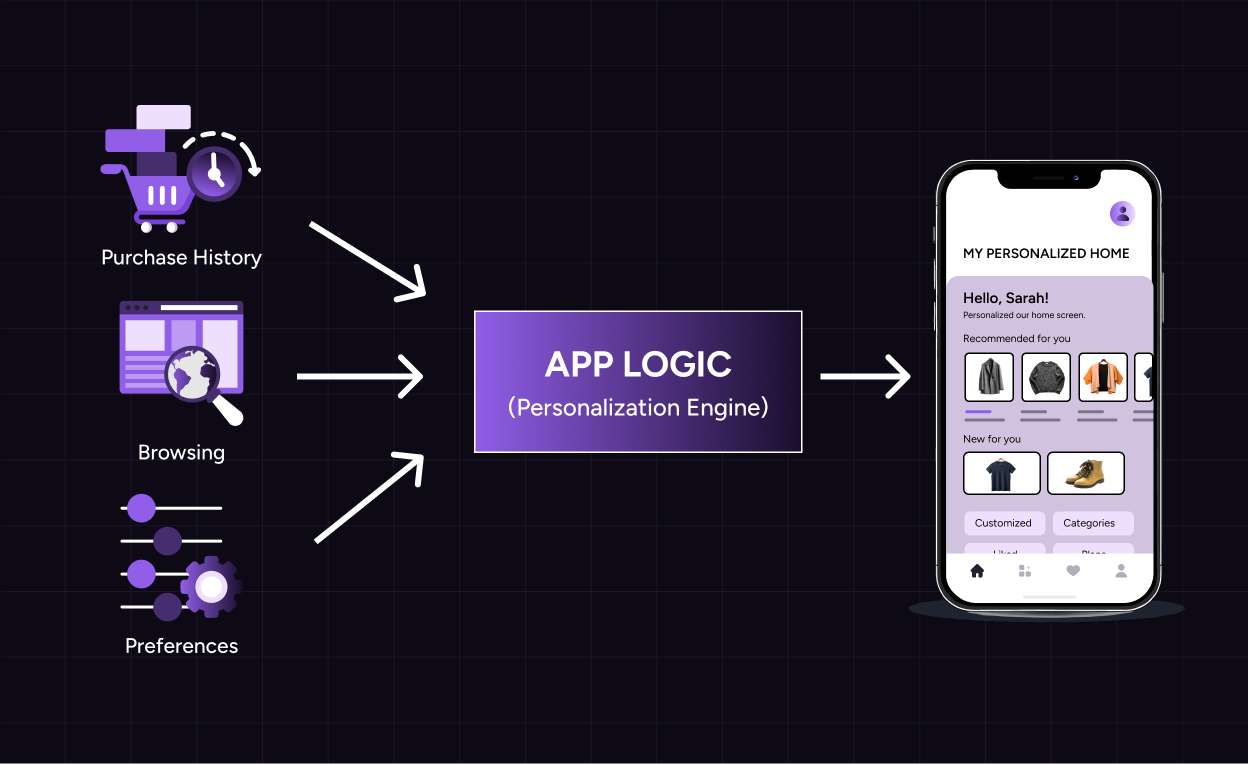
Mobile app personalization is the process of curating experiences, content, and interactions based on a shopper's preferences, interests, and behavior. The experience changes based on customer data, like purchase history, browsing patterns, engagement frequency, and stated preferences. Each shopper sees what they align with, what they’re most likely to engage with, and act on.
This data directly shapes how the app adapts different touchpoints, like:
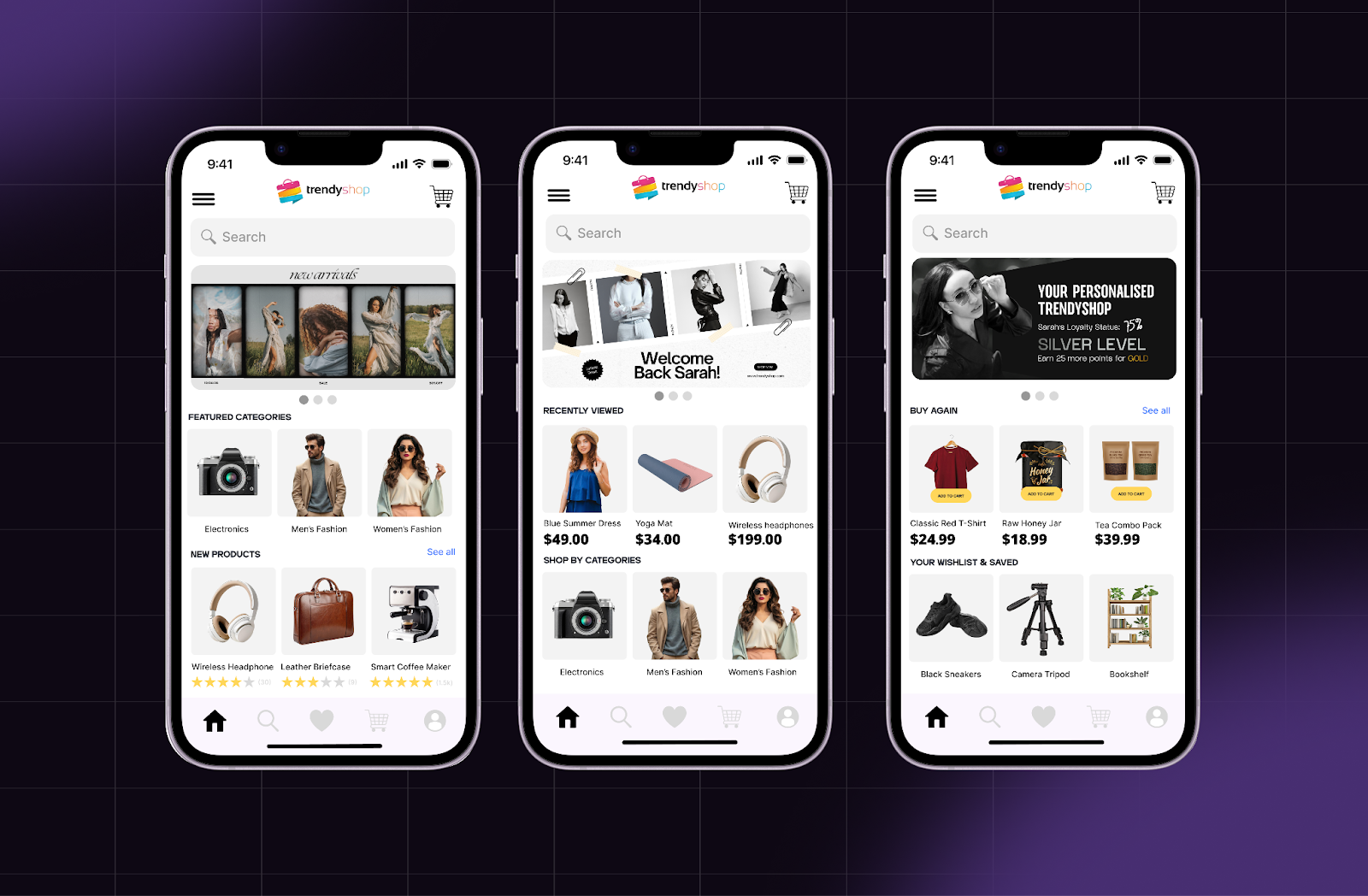
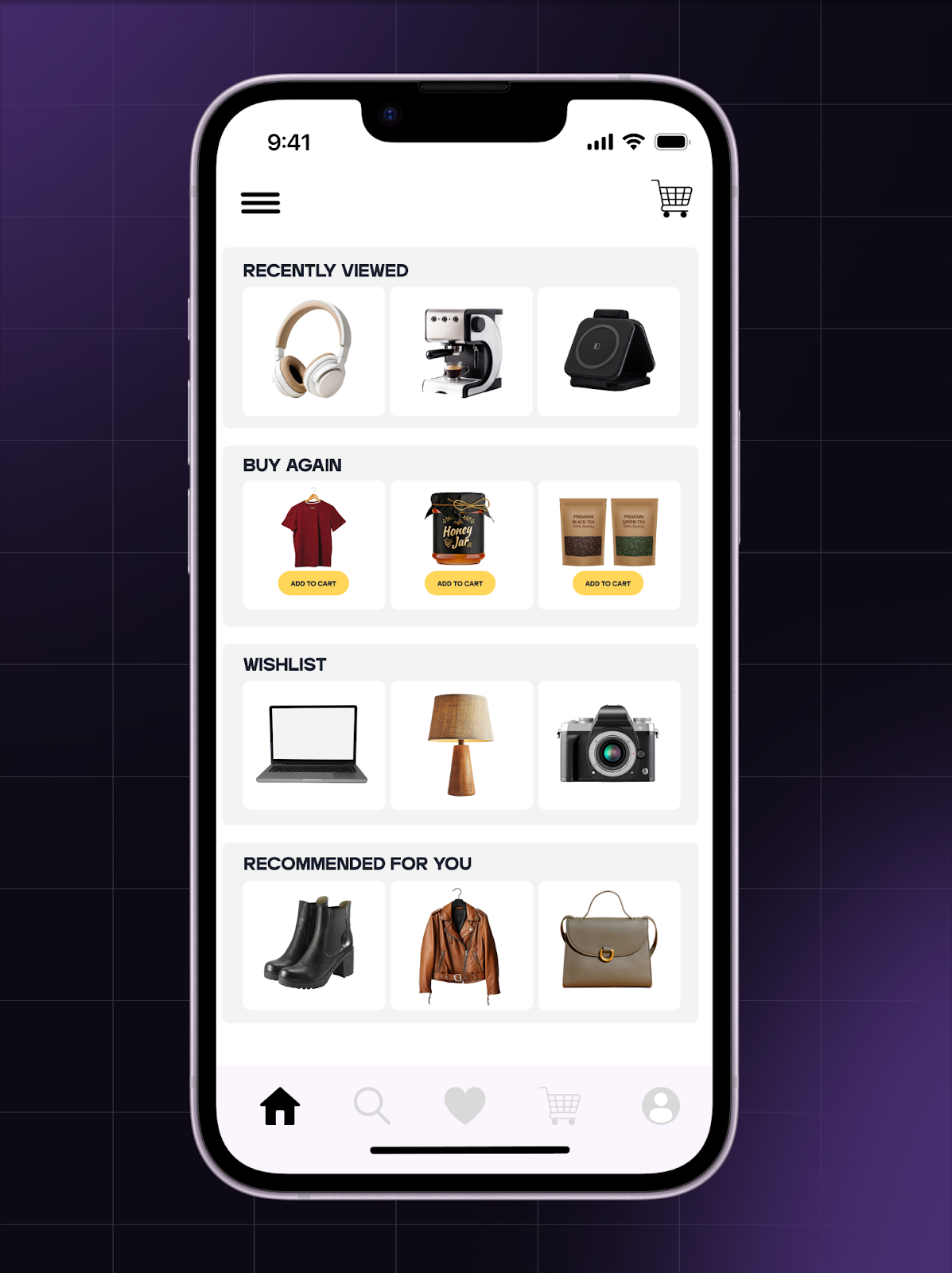
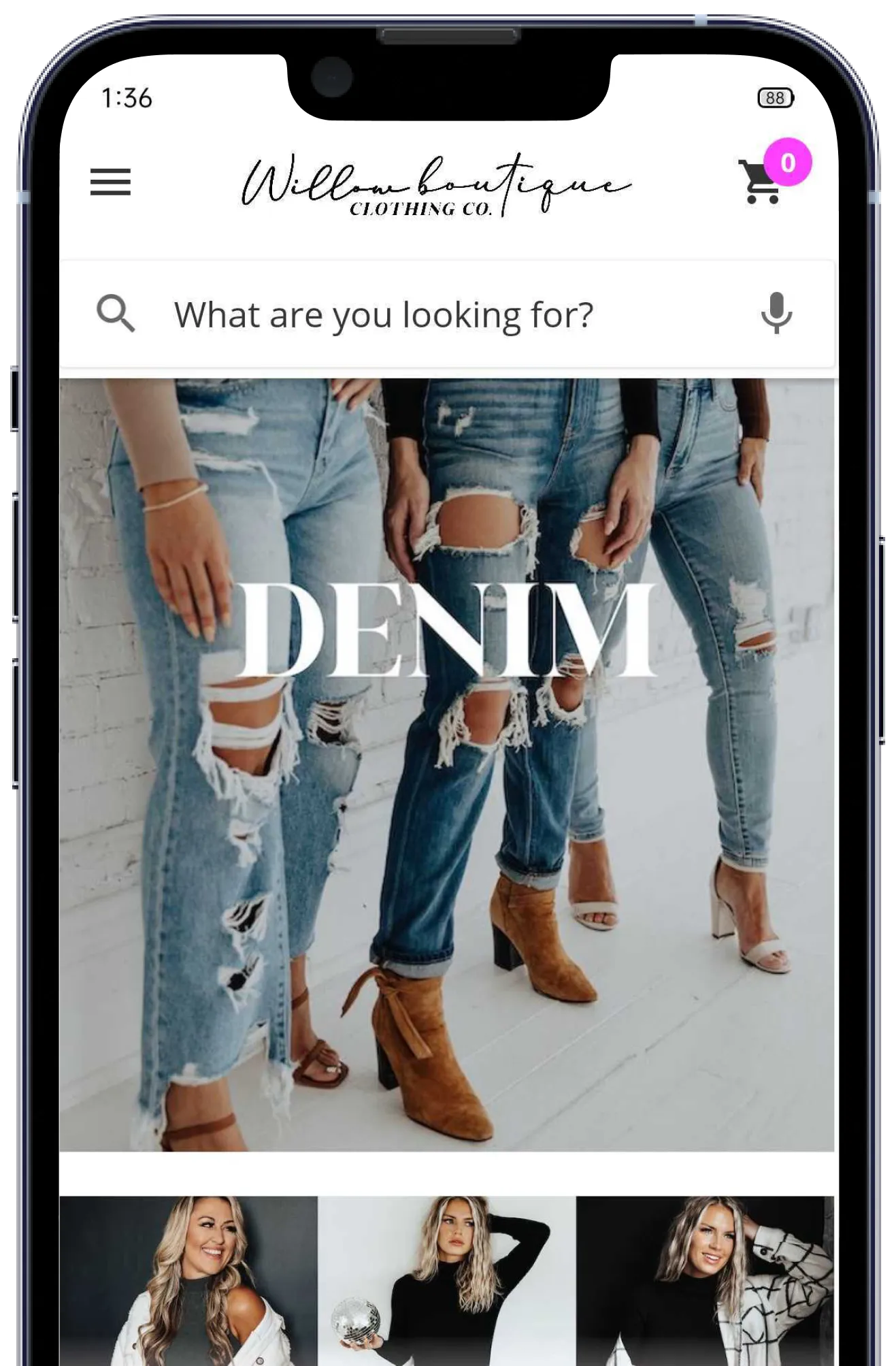
Home screen: The layout adjusts based on user behavior. A returning customer would see recently viewed products, saved items, preferred categories, and quick reorder options without searching. This reduces friction and shortens the path to purchase.
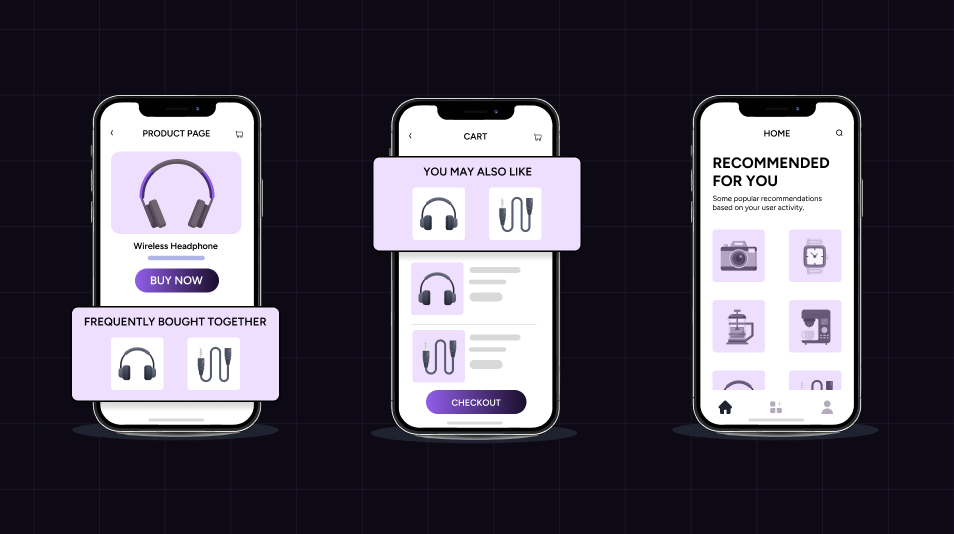
Product recommendations: Recommendations update continuously using purchase history and browsing patterns. The app can surface complementary products, frequently bought together items, or personalized collections that reflect evolving intent.
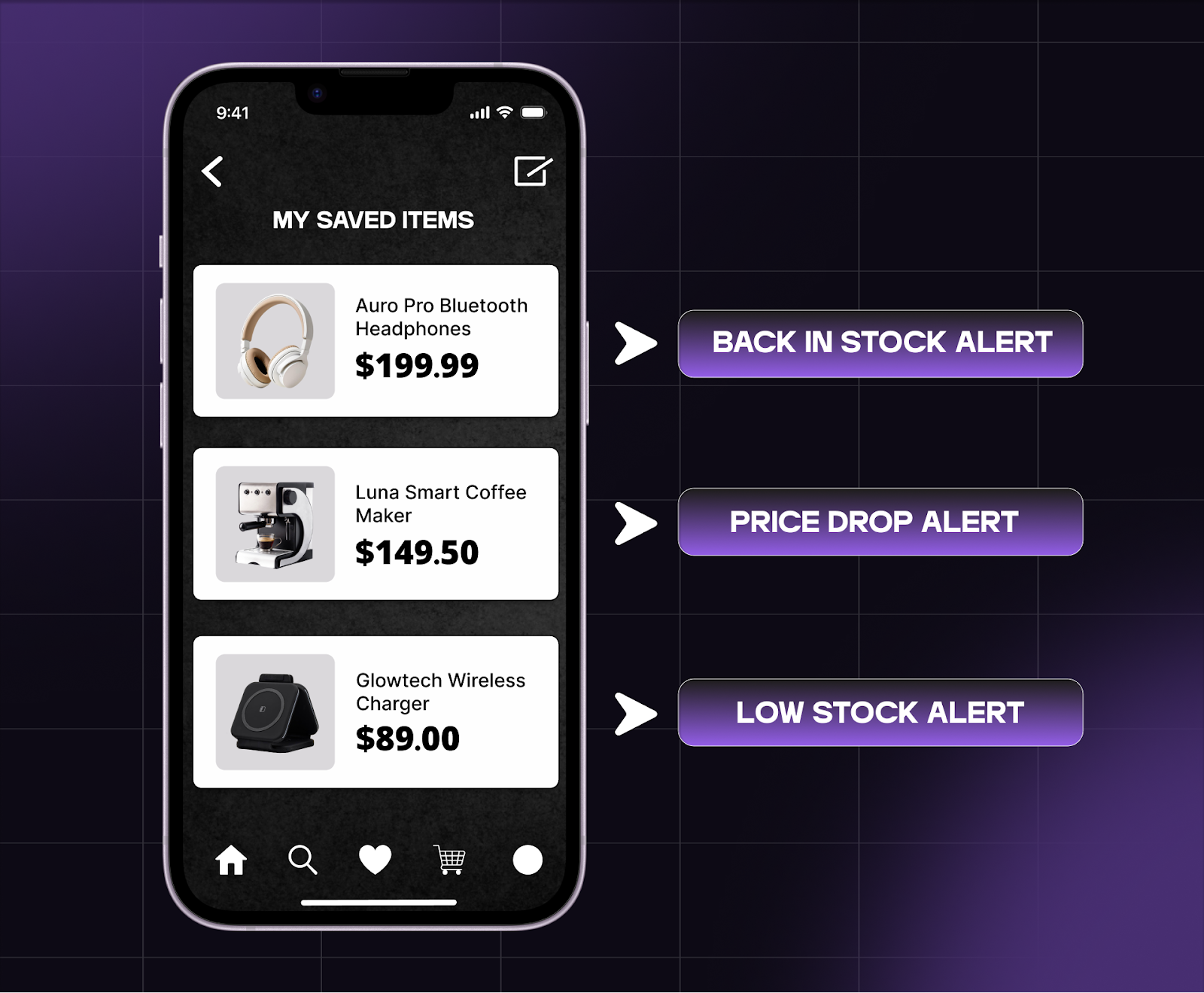
Push notifications and in-app messages: Communication responds to specific actions. A user who viewed a product can receive a back-in-stock alert, a price drop update, or a reminder tied to cart activity. These personalized push notifications connect directly to existing intent and drive timely re-engagement.
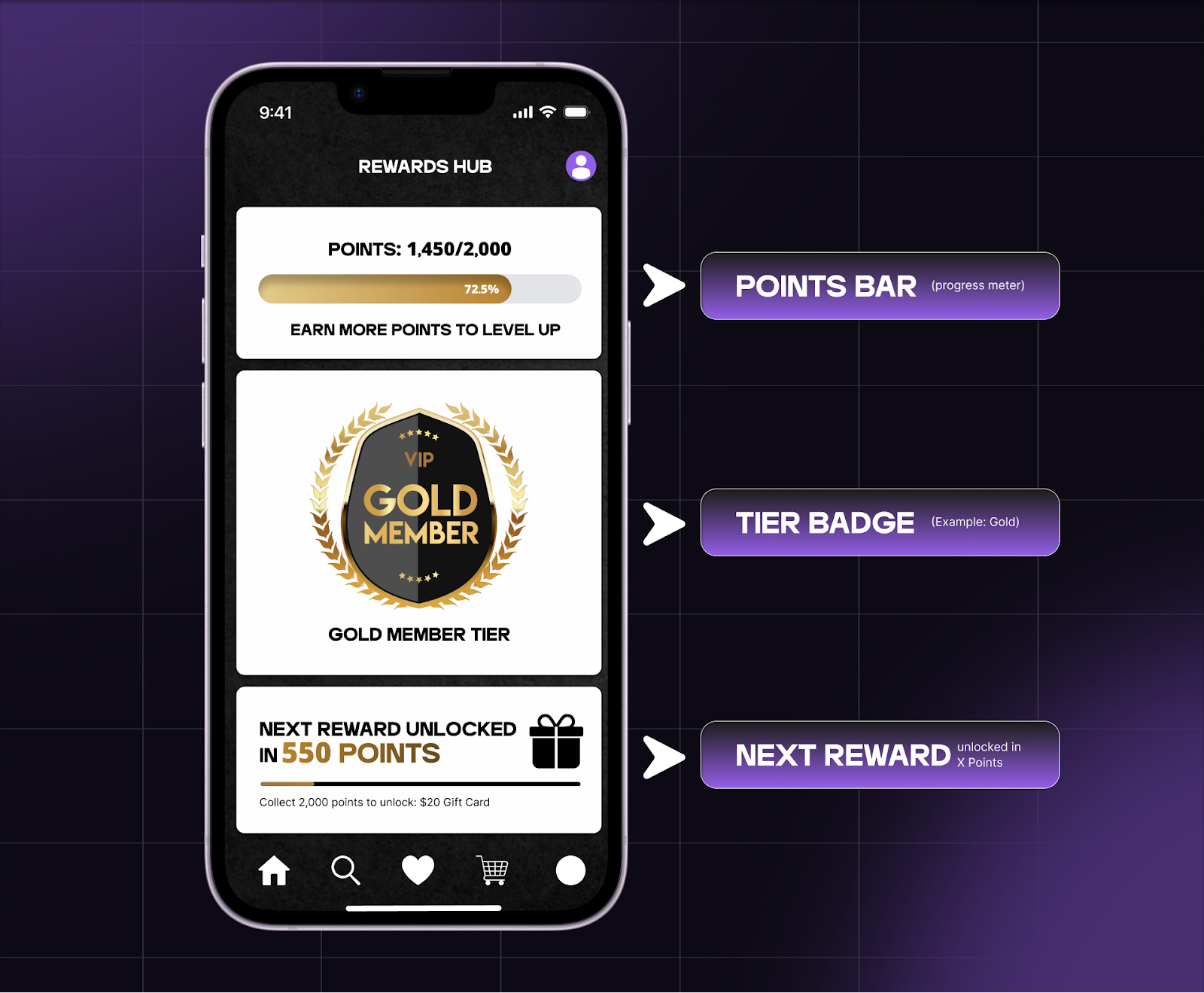
Loyalty and rewards: Loyalty perks have higher visibility within the app. Points balance, tier progress, expiring rewards, and personalized offers appear directly on the home screen, letting shoppers track their progress and motivating them to move toward the next milestone.
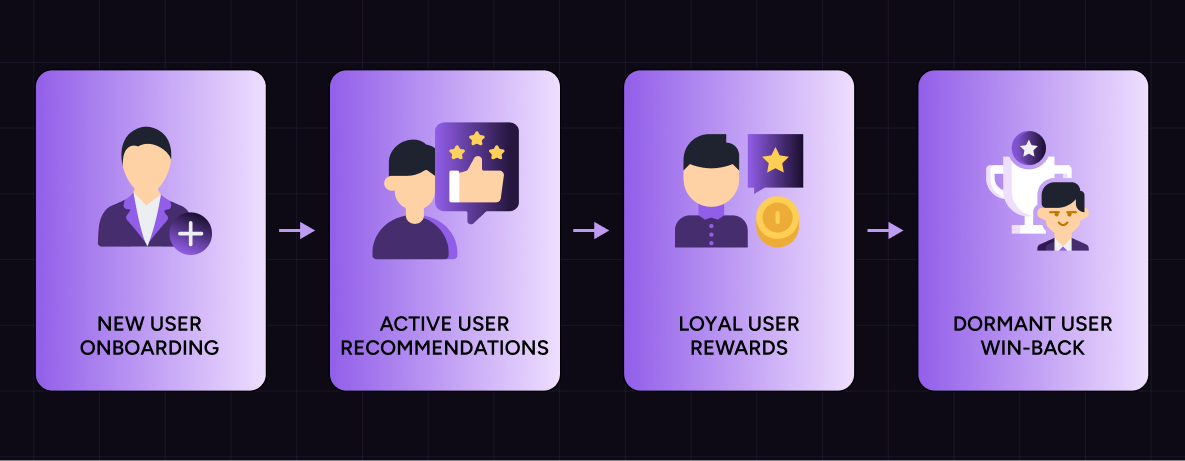
User journeys across sessions: Personalization extends across the full shopper journey. Onboarding captures preferences and category interest, reorder journeys surface previously purchased items at the right time, and win-back flows engage inactive shoppers through relevant content. Each step builds on existing data instead of restarting from zero.
Why personalization is important for your brand’s mobile app
Mobile apps carry context from one session to the next. They remember what each shopper browsed, purchased, and engaged with, so every return visit builds on the last one.
This matters because app users open with a clear intent. They aren’t exploring passively; they are returning to take action. Mobile app personalization aligns the experience with that intent, so shoppers can move faster and with less friction.
Mobile app push notifications take this further by bringing shoppers back to the app at the right moment, such as when a product is restocked, a price changes, or something relevant becomes available. When these notifications reflect user behavior, they feel timely and useful rather than interruptive.
As personalization efforts strengthen, the impact becomes visible in how shoppers interact with the app:
Higher engagement: Users spend more time exploring because the app shows relevant content and product recommendations that match their preferences.
Faster purchase decisions: Personalized app experiences reduce the number of steps between discovery and checkout. Users see what they are most likely to buy without needing to search.
Stronger retention: When the app continues to reflect shopper needs across sessions, it creates consistency. This increases user retention, reduces churn, and builds long-term brand loyalty.
Over time, mobile app personalization turns the app into a reliable environment where each interaction feels connected to the last, improving both experience and overall user engagement.
Foundation of personalization
Mobile app personalization works when the right signals are available and set up clearly. These signals guide what the app shows, when it responds, and how each shopper moves through the experience.
Three types of inputs shape how personalization works inside an ecommerce app:
Customer data: Intent, behavior, and preferences
Customer data captures the intent, behavior, and preferences of each shopper. With this, you can offer a more relevant app experience, predict what the shopper is likely to do next, and motivate shoppers to take a specific action.
These data points act as triggers:
Purchase history: Surfaces reorder options, complementary products, and personalized offers.
Browsing behavior: Highlights preferred categories, recent views, and content recommendations.
Engagement frequency: Adjusts how often communication is sent and when users are most active.
Loyalty status: Unlocks tier-based rewards, early access, and exclusive app experiences.
Product preferences: Shapes recommendations, collections, and discovery paths.
As more behavioral data is collected, the app experience can be tailored to each shopper.
Segmentation
Segmentation organizes shoppers into groups based on shared characteristics, making it easier to deliver more relevant and structured customer experiences. It allows the app to move from a single experience to tailored experiences across different shopper needs.
Common segments to define:
New customers: Onboarding flows, category discovery, first-purchase guidance.
Dormant users: Win-back journeys, reminders tied to past activity, targeted incentives.
By segmenting users, you can offer a shopping experience that reflects their stage in the user journey.
Store signals: Inventory, launches, and offers
Store signals connect customer intent with the store’s activities, like inventory changes, launches, pricing updates, and promotions. These signals offer real-time opportunities to act:
Back-in-stock alerts tied to products a shopper has viewed or saved.
Launch notifications for categories or collections that a shopper engages with.
Price-drop notifications for wishlist or previously browsed items.
Targeted promotions aligned with specific segments and purchase behavior.
Store signals allow the app to make the brand’s promotions and launches more visible and show relevant and timely messages to the right customers.
How personalization is orchestrated
With the right signals, you can set up personalization that is more structured, offering relevant experiences that help shoppers move through the app.
That system runs through three parts:
Customer lifecycle
The customer lifecycle lets you tailor the app experience based on where the shopper is in their relationship with your brand. Each stage carries a different intent, so the experience needs to match it.
At each stage, adjust the experience in a specific way:
New customer: Focus on onboarding and early engagement. Show category preferences, guide discovery, and help them complete the first purchase without friction.
Second-purchase stage: Encourage repeat behavior. Replenishment reminders, product recommendations, and quick reorder options make the second purchase easier and faster.
Loyal customer: Reinforce continuity. Surface loyalty status, rewards, and personalized offers so shoppers have a clear reason to keep coming back.
High-value customer: Give priority access through early launches, exclusive products, and tailored communication to strengthen brand loyalty and increase customer engagement.
Dormant customer: Bring back previously viewed products, restocks, or personalized offers based on past purchase history to drive re-engagement.
In-app journeys
In-app journeys let you guide shoppers toward specific actions within the app instead of leaving them to navigate on their own. Each journey is built around a clear outcome and focuses on moving the shopper toward a specific action:
Onboarding journeys: Collect user preferences early through category selection, quizzes, or inputs. This data shapes future product recommendations and personalized content.
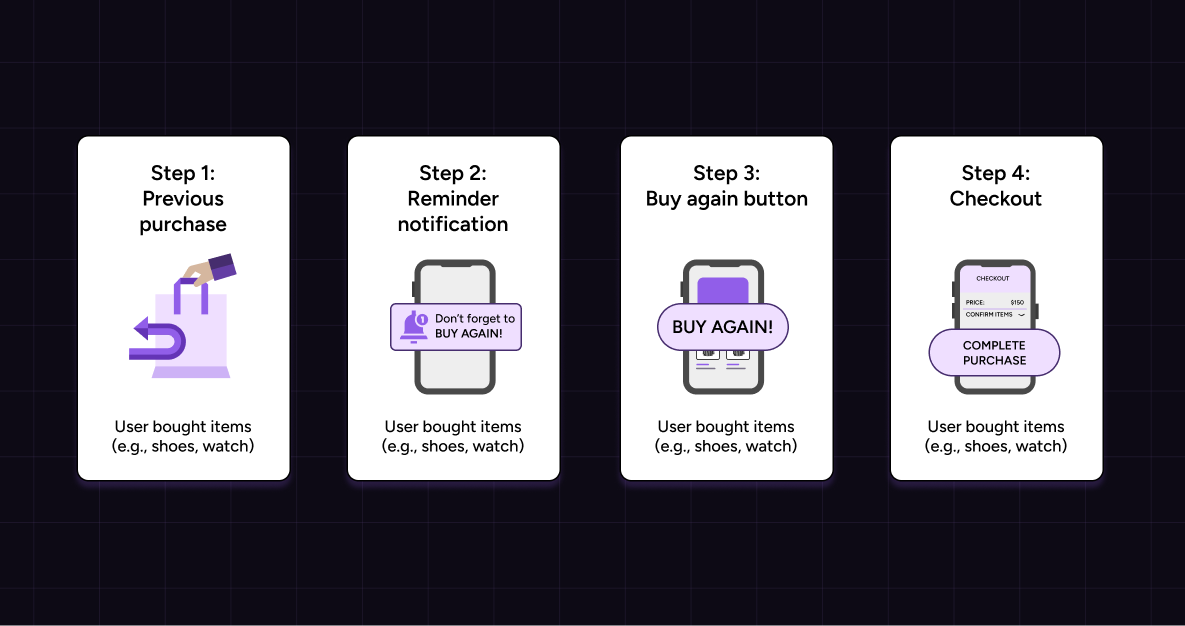
Reorder journeys: Show previously purchased products at the right time. “Buy again” sections and reminders based on usage patterns make repeat purchases seamless.
Loyalty progression journeys: Show progress toward rewards and highlight the next step. This keeps shoppers engaged with your loyalty program and increases app engagement.
Win-back journeys: Re-engage inactive shoppers using behavioral data. Highlight saved items, send reminders tied to past browsing, or trigger personalized messaging that brings them back.
Communication channels
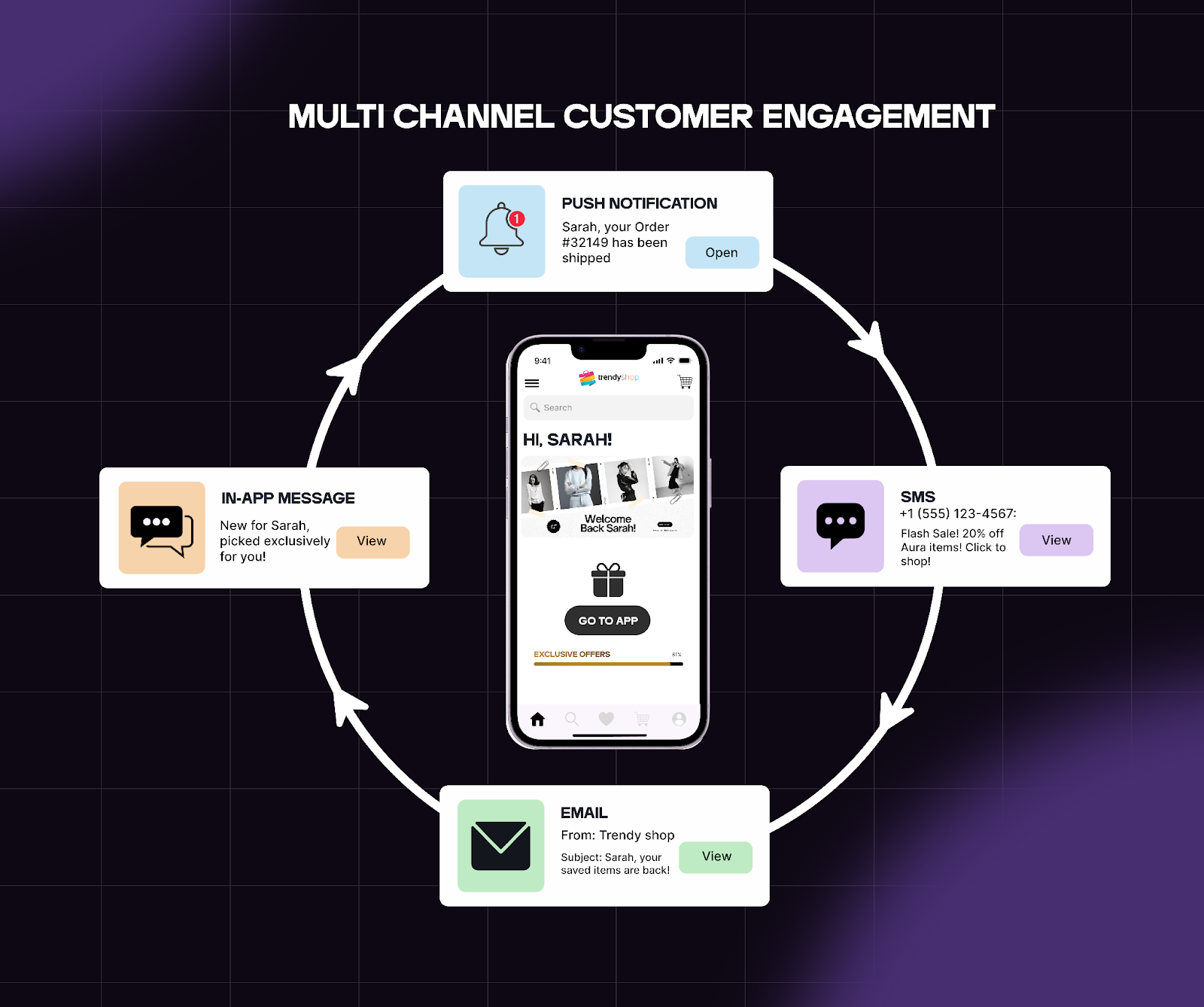
Extend personalization beyond the app and bring shoppers back when there’s a clear reason to engage through your communication channels. Each channel plays a specific role in re-engagement:
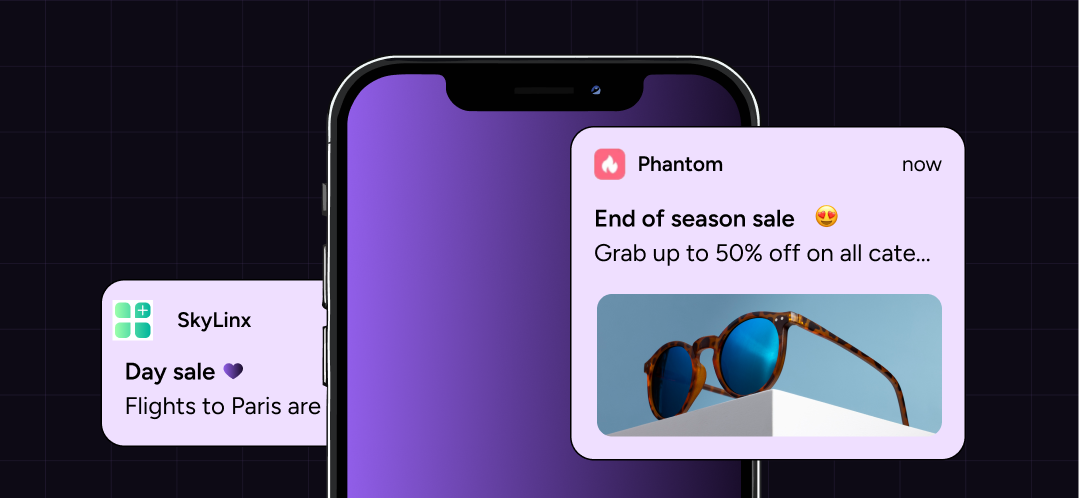
Push notifications: Send on-screen notifications based on user behavior, inventory changes, and launches. With personalized push notifications, you can alert shoppers about restocks, price drops, or relevant collections at the right time.
In-app messages: Guide shoppers with messages shown to them while they are scrolling through your app. Highlight loyalty progress, nudge incomplete actions (like checkout), or show relevant offers without interrupting the flow.
Email: Use email to send longer messages that require more context or use storytelling, like launch announcements or milestone messages.
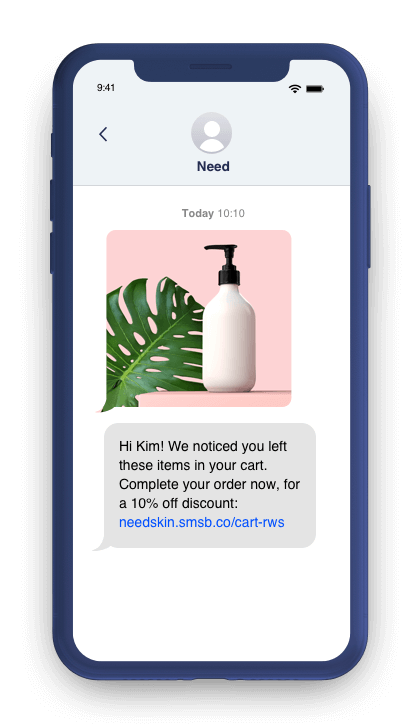
SMS: Send urgent and time-sensitive messages like abandoned cart reminders, flash sales, and back-in-stock alerts through.
In-app experiences to set up to personalize your ecommerce store’s mobile app
Once your lifecycle stages, in-app journeys, and communication channels are clearly defined, the next step is setting them up correctly.
On the app, every screen should use customer data, segmentation, and real-time signals to guide the next action. For example, if a shopper opens the app after browsing a category, the app should bring that category forward. If they purchased recently, the app should nudge a review.
Here are 7 personalization strategies to implement within the app.
1. Personalize the home screen
The home screen sets the direction for the entire session. It should immediately reflect user preferences and recent activity so shoppers can act without navigating.
Structure the home screen using these elements:
Recently viewed products: Bring back items from the last session so shoppers can continue where they left off. This reduces drop-off between sessions.
Wishlist items and saved favorites: Show saved products as soon as they land. This keeps high-intent items visible and increases conversion rates.
Products from favorite collections: Use browsing behavior and category affinity to highlight collections the shopper engages with most.
Recommended collections: Group products into personalized collections based on purchase history and engagement patterns to guide discovery.
Quick reorders: Show “buy again” products for returning customers. This supports faster repeat purchases and improves retention.
Loyalty progress: Display points, tier status, and rewards directly on the home screen. This gives shoppers a reason to engage immediately.
2. Enable product recommendations across the app
Product recommendations shape how shoppers discover and decide. When recommendations are based on browsing patterns and purchase history, they make the experience more relevant and reduce decision time. Use different types of recommendations, including:
Recommended for you: Personalize based on user behavior and past interactions.
Complementary products: Suggest items that pair well with what the user is viewing or has purchased.
Frequently bought together: Use aggregated behavioral data to surface commonly paired products.
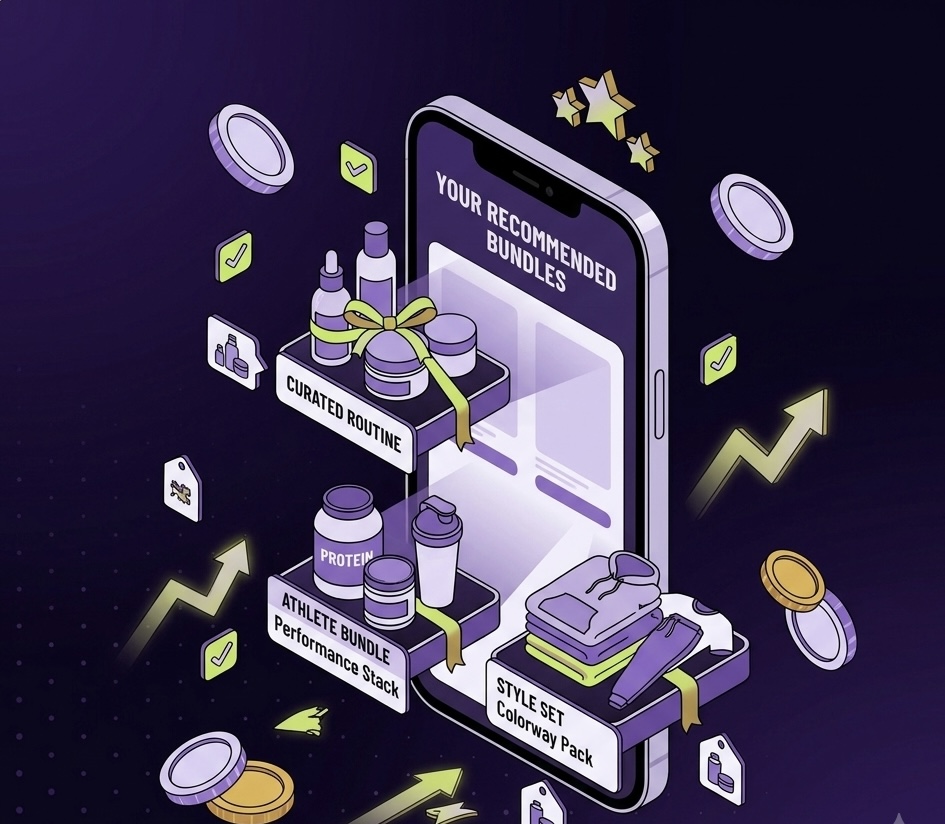
Personalized collections: Curate sets of products aligned with user preferences and past engagement.
Place these recommendations across key touchpoints, like the home screen, product pages, cart page, and post-purchase screens. Then, support these with behavior-driven triggers:
Back-in-stock alerts for viewed or saved products
Replenishment reminders based on purchase cycles
Cart reminders tied to incomplete checkouts
Follow-up recommendations after browsing sessions
These touchpoints connect discovery with action and improve app engagement.
3. Personalize browsing using category affinity
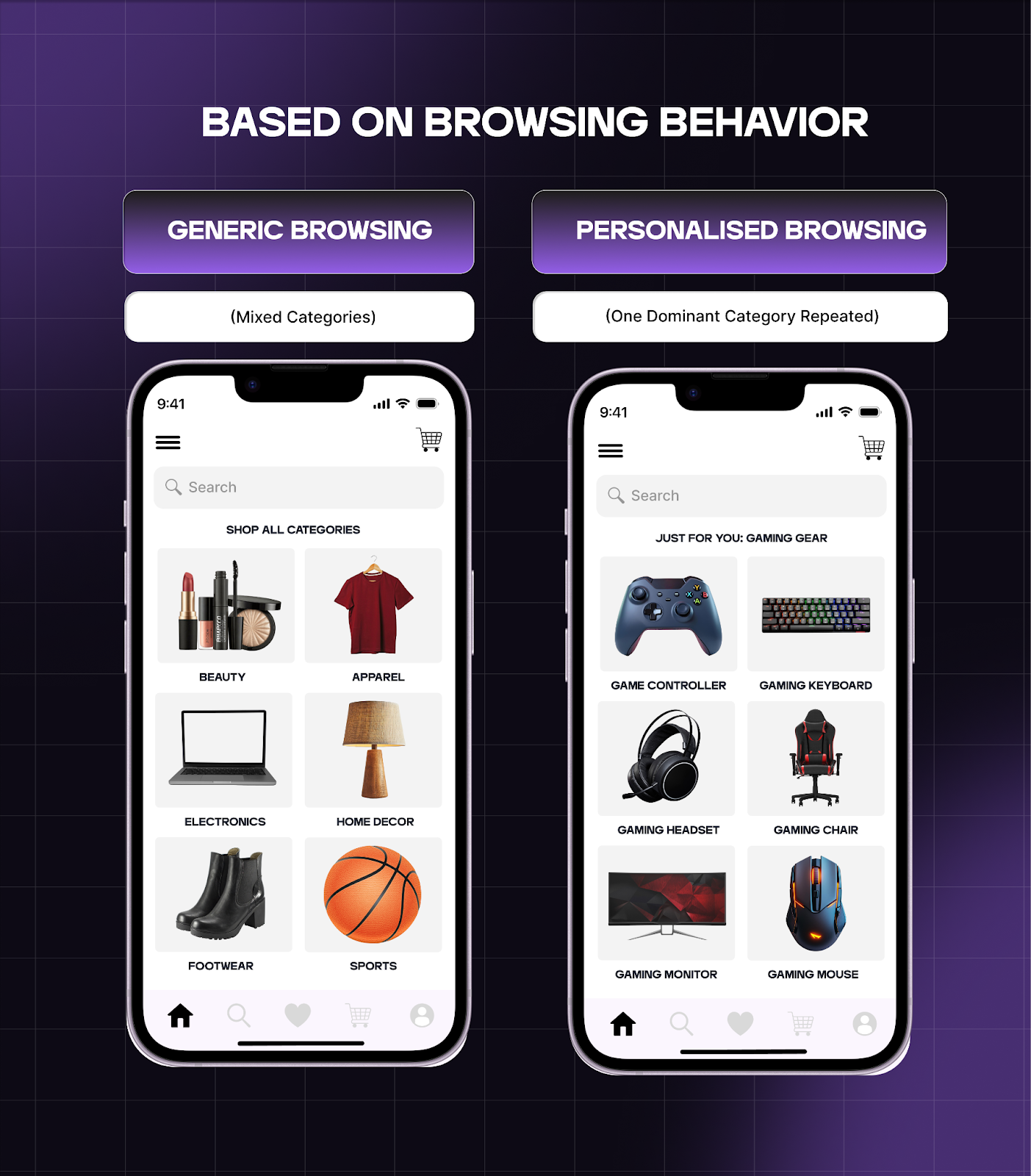
You already know what each shopper explores repeatedly. Use that to decide what appears first when they open the app or return to browse.
Category affinity identifies the product categories a shopper returns to consistently based on their browsing and purchase behavior. Use these patterns to decide what appears first when they open the app or start browsing.
Bring high-interest categories to the top of the home screen: If a shopper viewed products from the same category multiple times in the last few sessions, show that category as soon as they land. This reduces the time spent searching and increases the likelihood of continuation.
Show new arrivals within those categories first: Shoppers who revisit a category are often checking for updates. Highlight new products within that category so they can easily see what’s new.
Prioritize those categories within recommendation modules: When a shopper browses or scrolls, make sure that recommendation blocks pull more heavily from their preferred categories instead of showing a broad mix.
4. Create fast reorder journeys
A large portion of returning shoppers open the app with a specific product in mind. Your app should help them complete that purchase in as few steps as possible. Set up reorder flows around timing and past purchases:
Surface “buy again” products on the home screen: If your product requires reordering, show the last 2–3 purchased items at the top when the shopper opens the app.
Add reorder actions inside order history: Let shoppers reorder directly from past orders without navigating back to product pages. Include quantity presets and saved preferences.
Trigger replenishment reminders based on purchase timing: If a product is typically repurchased every 30 days, send a reminder around that window. Link directly back to a one-tap reorder flow.
5. Use wishlisting activity to trigger personalized experiences
Wishlisting is a sign of strong purchase intent. These shoppers have already shortlisted products but are waiting for the right moment.
Use that intent to drive re-engagement:
Send back-in-stock alerts tied to saved products: When inventory returns, trigger a push notification that links directly to the product page.
Notify users when stock is running low: If inventory drops below a threshold, alert shoppers who have wishlisted the product. This creates urgency at the right moment.
Surface wishlist items on the home screen: Bring saved products into the first screen so users can act without navigating.
Highlight price drops or launch updates: If a wishlisted product goes on sale or is part of a new drop, surface that change clearly inside the app.
6. Customize loyalty and rewards
Loyalty drives repeat behavior when users can see progress and know what to do next. The app should make that progression visible and actionable at all times. Build this directly into the experience:
Show tier status and points balance on entry: Place this on the home screen so users immediately see where they stand.
Trigger rewards based on user activity: If a user frequently browses a category or saves certain products, offer rewards tied to those behaviors.
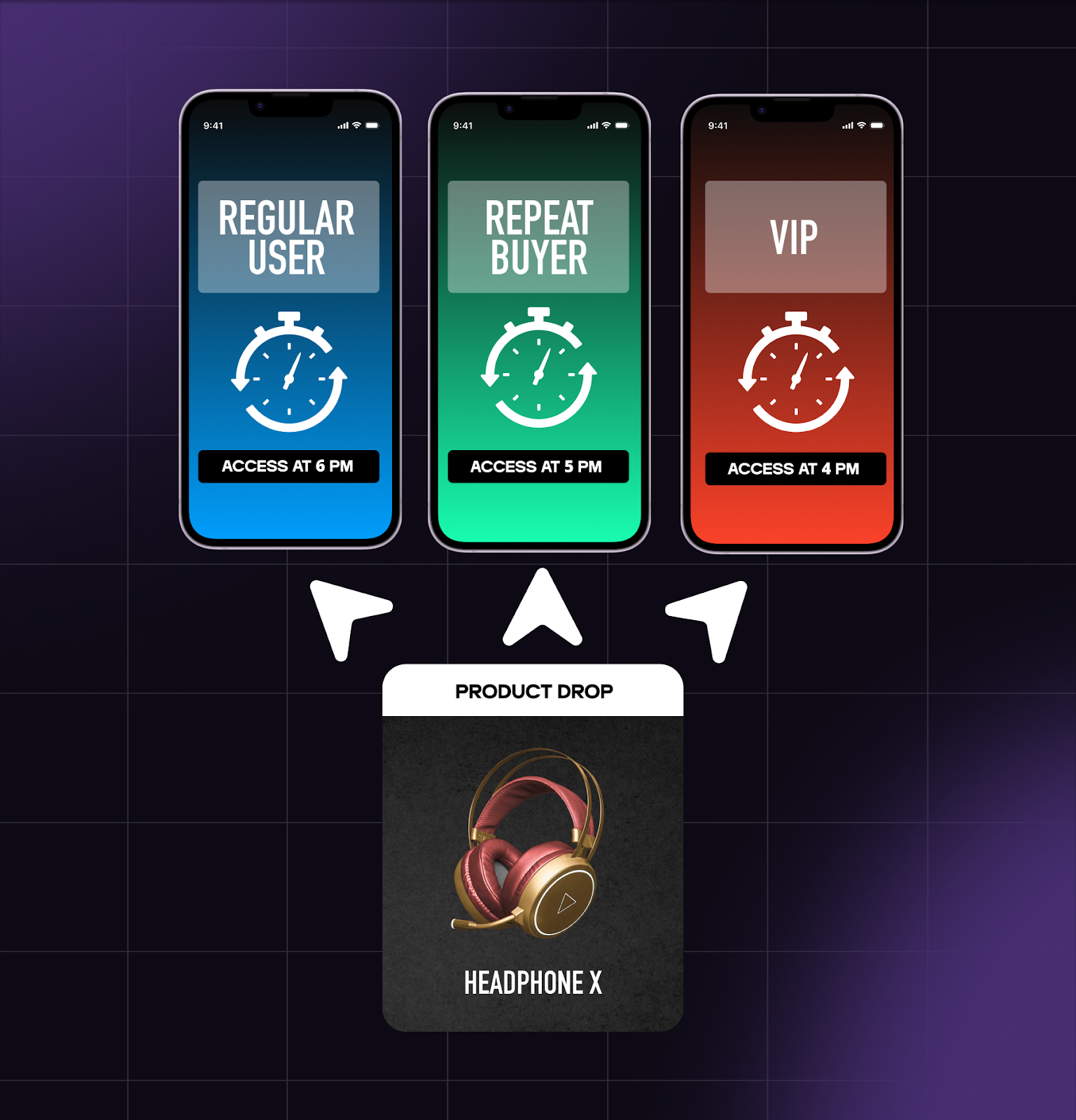
Unlock early access based on lifecycle stage: Give repeat buyers or high-value users access to products before general release.
Highlight what the user needs to do next: Show how close they are to the next reward or tier, along with the action required to get there.
Call out expiring points or rewards: Surface urgency clearly so users return and redeem before losing value.
7. Personalize launch access and exclusive drops
Personalize launch access to prioritize your most engaged customers, giving them earlier and more exclusive entry into new products and drops.
Structure access using clear rules:
Give repeat buyers early access windows: Give users with recent purchase activity early access to the new products before they open to everyone else.
Create VIP-only drops for high-value customers: Offer certain products or collections only to shoppers with high lifetime value or strong engagement.
Gate collections based on loyalty status: Let loyalty members unlock specific products or categories within the app.
Trigger notifications tied to access timing: Send push notifications when a shopper’s access window opens, linking directly to the collection.
8. Recognize behavioral milestones
Milestones reinforce progress and strengthen the relationship over time. Use milestones to trigger engagement:
Anniversary of first purchase: Acknowledge the customer’s history with the brand and prompt a return visit.
Milestone purchase counts: Highlight when a shopper reaches a certain number of purchases and tie it to a reward or benefit.
Loyalty tier upgrades: Notify shoppers when they move to a new tier and show what they’ve unlocked.
These moments create continuity beyond purchases and give shoppers a reason to keep engaging with the app.
Lifecycle journeys to set up and personalize your mobile app
Once your in-app experiences are in place, lifecycle journeys connect them over time. Each journey should respond to a specific moment and guide the next action based on behavior.
9. Personalize onboarding for new app users
The first session sets the foundation for everything that follows. Use it to capture signals and immediately reflect them in the experience.
Here’s the onboarding journey to increase the chances of a second visit:
Capture intent during onboarding: Use preference quizzes, category selection, or size/style inputs to understand what the shopper cares about.
Immediately reflect it in the app experience: Update the home screen, recommendations, and browsing flow based on what the user selected.
Reinforce relevance through follow-ups: Send push notifications highlighting products or collections aligned with their preferences.
Guide the first meaningful action: Direct the shopper toward exploring a collection, saving items, or making their first purchase.
10. Personalize the post-purchase experience
How your brand engages with the customer after their first purchase influences whether they’ll return to buy again. determines whether they will return. Use it to guide what the customer does next.
Build this flow:
Confirm and extend the purchase experience: Share order confirmation and set expectations for what comes next.
Deliver product usage or onboarding guidance: Help the customer get value from what they bought through tips or instructions.
Introduce relevant next steps: Recommend complementary products within the app and reinforce them through email or push.
Trigger replenishment or follow-up moments: Estimate when the product will run out and send timely reminders linked to reorder flows.
This turns a single purchase into an ongoing interaction rather than a completed transaction.
10. Create win-back journeys for inactive users
Shoppers who stop engaging and buying require a different approach. When engagement drops, use past behavior to reconnect the shopper with relevant actions.
Here’s how you can set up a win-back flow:
Identify inactivity triggers: Set up systems that trigger the win-back flow, like when a shopper hasn’t opened the app or purchased within an expected timeframe.
Reconnect based on past intent: Recommend products they viewed, saved, or nearly purchased.
Offer them a reason to return: Send restock alerts, price drops, or relevant offers tied to their previous behavior.
Focus on offering value. These shoppers already know your brand, so the goal is to reconnect them with something they showed interest in or were close to acting on.
Communication tactics to personalize for mobile app shoppers
Once in-app experiences and lifecycle journeys are set up, communication determines when shoppers return and what they do next. Each message should connect to a specific action the shopper has already taken or is likely to take.
12. Make push notifications more effective
Push notifications bring shoppers back into the app when there’s a clear reason to act. That reason should come directly from user behavior or from changes in your store.
Based on user behavior: Trigger notifications when shoppers show interest through browsing or engagement.
Send alerts for products they viewed multiple times
Notify them when a category they explored has new arrivals
Trigger launch notifications for shoppers who interacted with similar products
Send an abandoned cart notification soon after the shopper leaves to bring them back to checkout.
Segment high-value customers and send early access notifications.
Based on store signals: Use inventory and pricing changes as timely reasons to return.
Send back-in-stock alerts for viewed or saved products
Notify users when inventory is running low
Trigger price-drop alerts for high-intent items
Send sale notifications tied to categories they engage with
Each notification should combine both inputs where possible. For example, a back-in-stock alert works best when it’s tied to a product the shopper has already viewed multiple times or signed up for.
Always link the notification directly to the relevant product or collection so the shopper can easily check out.
13. In-app messages for contextual nudges
In-app messages help you influence behavior while the shopper is already using the app. Use them to guide the next step based on what the shopper is doing in that moment.
Trigger messages based on real-time actions:
When a shopper adds an item to the cart, show a banner at the bottom of the screen that lets them check out immediately.
When a shopper browses multiple products, recommend a relevant, bestselling product or nudge them to scroll a specific collection.
When a shopper evaluates their cart, highlight how close they are to unlocking a reward.
These messages should appear at specific decision points. The goal is to move the shopper forward without interrupting the flow.
14. SMS for high-intent, time-sensitive moments
Use SMS for time-sensitive messages that need sooner action:
Launch countdown reminders
Back-in-stock alerts for products that customers viewed or showed interest in
Price drop notifications for previously browsed items
Limited-time offers (e.g., 24-hour sales)
Access alerts for gated drops or exclusive release windows
Abandoned cart reminder
Keep the message short and link to the right page.
15. Use email to reinforce personalized journeys
Use email when the next step requires more context. It helps explain, guide, and extend the customer’s interactions on the app.
Unlike push notifications or SMS, email works best when the shopper is evaluating, learning, or preparing to take an action. It gives you space to connect past behavior with what they should do next.
Use email at moments where context drives the decision, like:
After a purchase: Send product usage guidance, onboarding steps, and recommendations tied to the purchase.
Between purchases: Share recommendations based on browsing behavior or past orders to keep the user engaged.
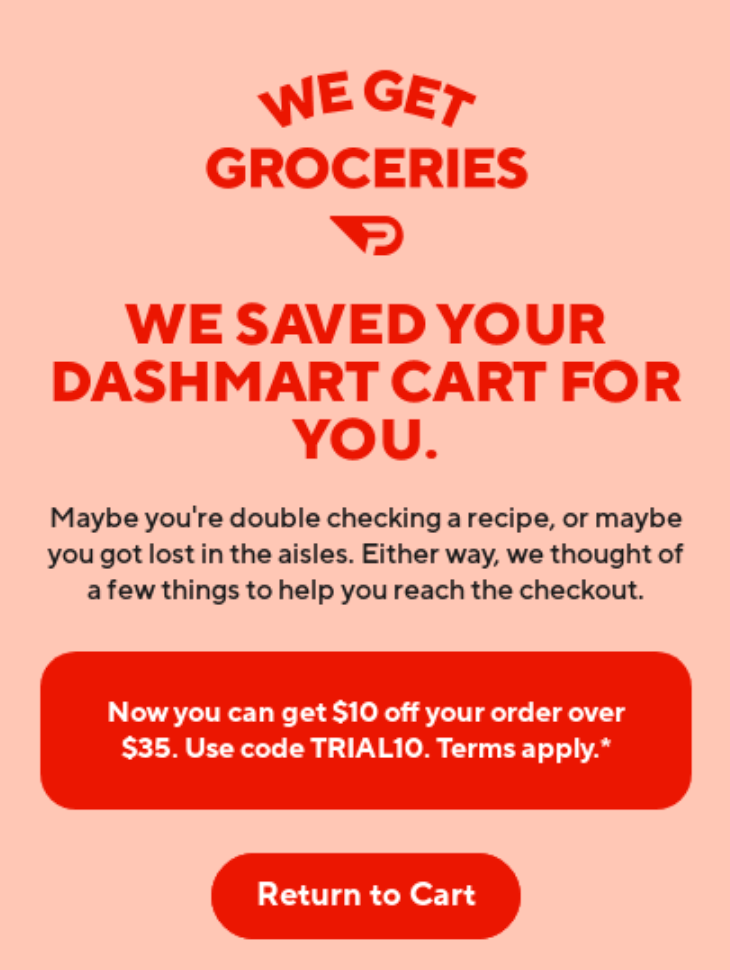
Abandoned cart: Set up a series of abandoned cart emails sent across 48 hours, reminding the shopper about the product to bring them back to checkout.
Before launches or drops: Prepare users with details, previews, and early access information so they know what to expect.
During consideration: Send curated collections, comparisons, or product details to help the user decide.
Updates: Communicate order updates, delivery status, policy changes, or important account-related information.
Email should extend the customer’s journey, not reset it. Every message should reflect what the customer has already done and lead naturally to the next action.
Measuring the impact of personalization
How impactful your personalization efforts are is reflected in how shoppers behave over time. The clearest signal comes from retention— whether shoppers return, engage, and continue purchasing.
A few key metrics that help you understand the impact of your mobile app personalization strategies are:
Repeat purchase rate shows whether shoppers come back to buy again. When personalization aligns with user preferences and purchase history, shoppers find what they need faster and return more often. A rising repeat purchase rate signals that your app supports ongoing buying behavior rather than one-time conversions.
App-engaged LTV measures how much revenue app users generate over time. When personalization improves user experience and keeps engagement consistent, shoppers tend to spend more and purchase more frequently. Comparing LTV between app users and non-app users helps you understand the long-term impact.
Session frequency tracks how often users open the app. Strong personalization gives shoppers a reason to return, whether it’s checking rewards, browsing relevant content, or acting on a notification. Higher session frequency indicates that the app remains useful between purchases.
Push notification conversion shows how often shoppers take action after receiving push notifications. When notifications reflect real user behavior (like a viewed product or a saved item), conversion rates improve. This metric helps you evaluate how relevant and timely your communication is.
Retention of installed users tracks how many users remain active after installing the app. Personalization improves app retention by adapting the first session based on user data, triggering relevant in-app experiences, and continuing engagement through timely, behavior-driven interactions.
Together, these metrics show whether personalization is driving results. When these metrics improve together, it indicates that your app is delivering relevant experiences, maintaining engagement, and supporting long-term retention.
Offer a personalized mobile app experience easily with the right tool
A personalized mobile app makes it easier for shoppers to find what they want and check out quickly, keeping it relevant and increasing your customer retention.
Executing this well requires coordination. Personalization depends on how relevant data, segmentation, in-app experiences, and communication channels work together. When these operate in isolation, the experience breaks and engagement drops.
Superfans.io is a mobile app builder that simplifies this for ecommerce brands. The platform supports:
Building personalized app experiences tied to lifecycle stages and user behavior.
Aligning push notifications, SMS, and in-app messages through shared triggers.
Setting up segmentation that adapts as shoppers move across stages.
Creating journeys that connect onboarding, reorders, and win-back flows.
Tracking performance across retention, conversion rates, and LTV.
This removes the operational complexity that usually slows teams down. You don’t need to manage personalization efforts across disconnected tools or rebuild logic for every campaign.
The app evolves with your shoppers, your launches, and your merchandising strategy, keeping personalization consistent as your brand grows.
Book a demo to see how your mobile app can deliver personalized experiences at scale.
Frequently asked questions
How does personalization increase retention?
Personalization increases retention by making each session more useful. When your app reflects customer behavior, like what they browsed, purchased, or saved, shoppers can pick up where they left off.
This reduces friction across the user journey. Product recommendations surface relevant options faster, reorder flows simplify repeat purchases, and personalized push notifications bring shoppers back at the right moment. Over time, these interactions build consistency.
As the experience continues to align with real needs, shoppers return more often, engage more deeply, and stay active for longer periods. That consistency is what increases retention and long-term value.
What data is needed to personalize a mobile app?
Effective mobile app personalization relies on data points that capture user intent and behavior. These include:
Purchase history to power reorder flows, complementary product recommendations, and personalized offers
Browsing behavior to understand category interest, product preferences, and discovery patterns
Engagement data, such as session frequency and interaction depth, to adjust timing and messaging
Loyalty data, including points, tier status, and rewards, to shape incentives and access
User preferences collected during onboarding, such as category choices, size, or style
Together, this data allows you to segment shoppers, trigger automation, and deliver personalized experiences that stay relevant as behavior evolves.
Thank you! Your submission has been received!
Oops! Something went wrong while submitting the form.
This is some text inside of a div block.
"Looking for creative push notification ideas? Check out our free templates and start customizing!"



.png)